
Many times, you may need to connect your Cloud VPS via the console for various purposes. It is especially helpful when the VPS is not accessible via RDP or SSH.
“Console” means accessing the server using VNC or another way, and accessing the server.
This article will assist you with the steps for logging in to the VPS console via OnApp:
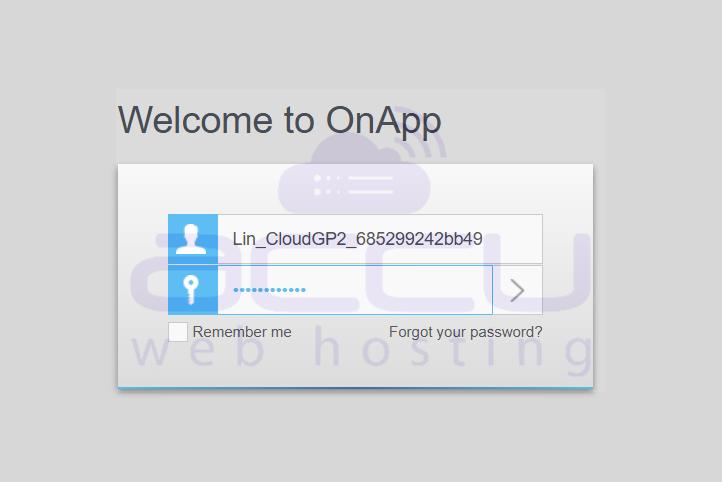
1. Log in to your Cloud VPS Management Portal with your credentials at https://onappcp.accuwebhosting.com
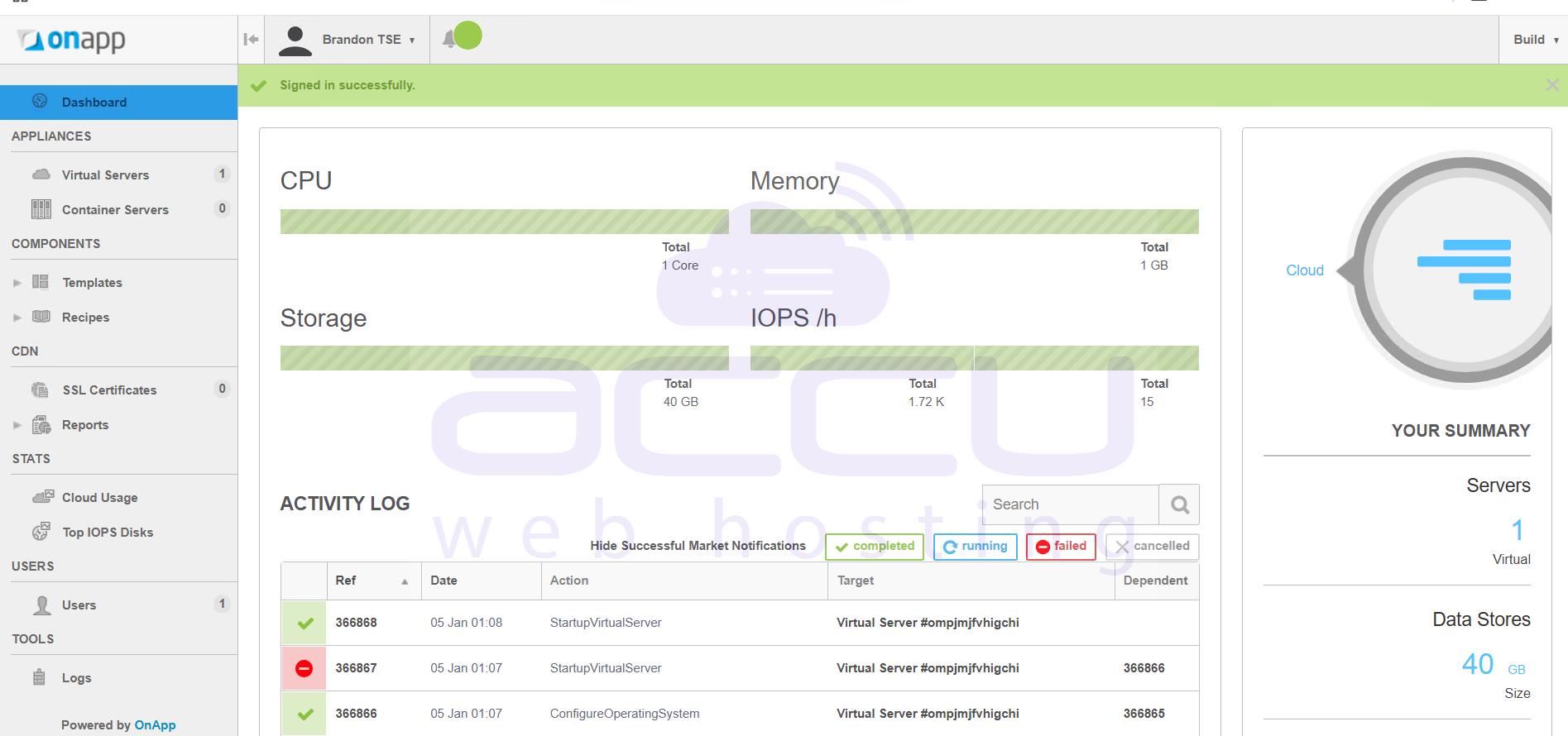
2. After successful login, you will see your Dashboard.
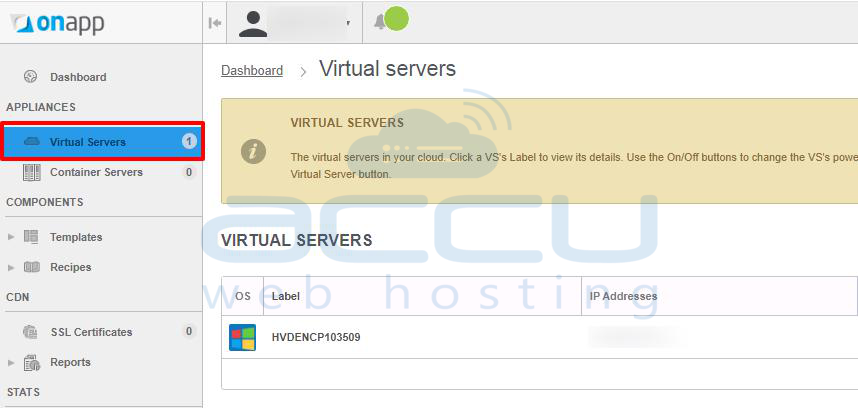
3. Click on Virtual Servers from the left pane.
4. Click on your VPS label name, i.e., HVDENCP103509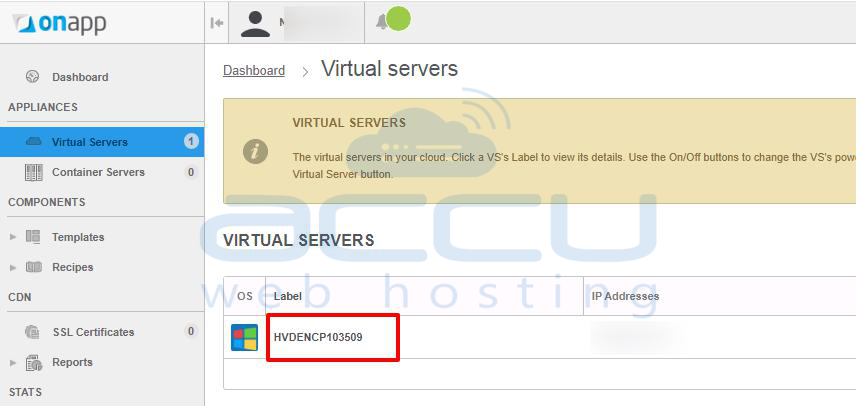
5. From the Overview drop-down box, click on the Console option.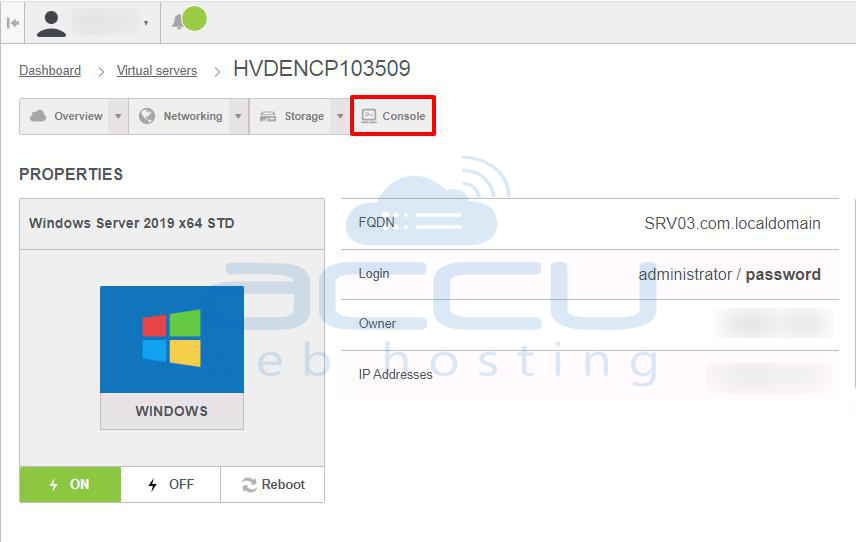
6. A console will be displayed in the new window.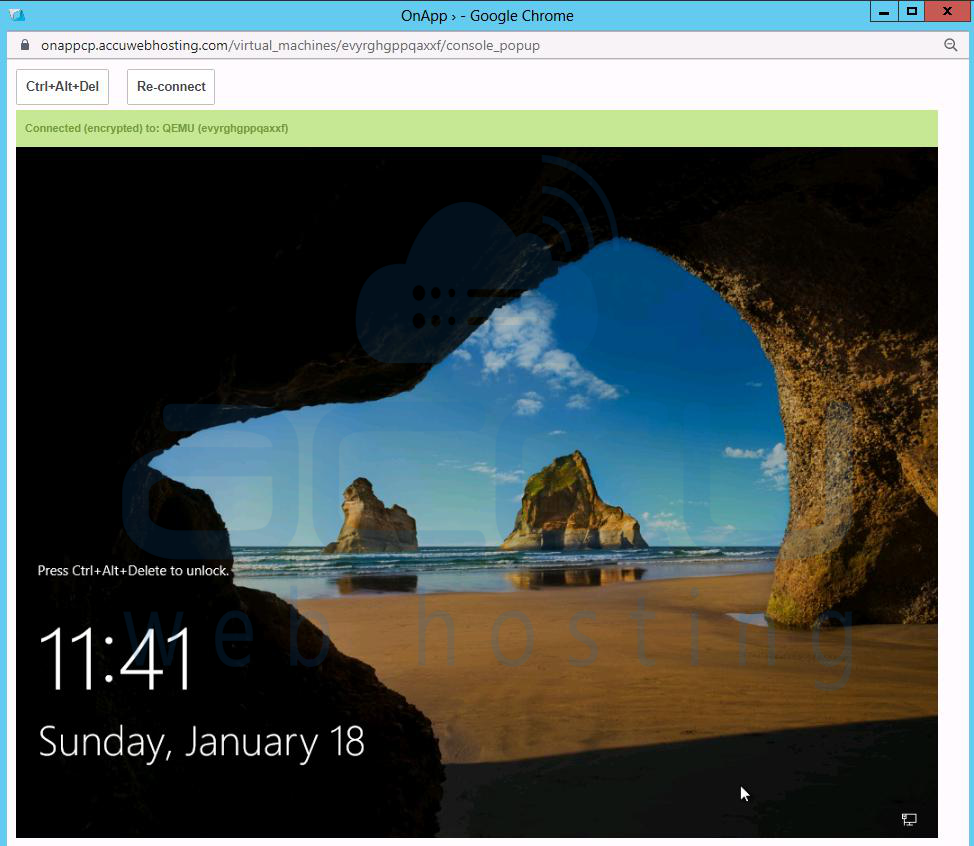
7. Enter your VPS username and password to connect to the VPS.
Note: This console can also be accessed for Linux Cloud. However, Linux Cloud users will get a terminal instead of a GUI.


