
Microsoft URL Rewrite module offers you similar functionality to the Apache mod_rewrite module. It is fully integrated into the web.config file (an excellent equivalent of the .htaccess file of Apache).
URL Rewrite Module in IIS 7 (7.5 and 8.0) provides an important feature that makes conversion of Apache mod_rewrite rules to IIS URL rewrite rules too easy.
This module comes pre-installed with all AccuWeb Hosting Windows VPS; guest visitors who want to enable mod_rewrite on IIS can download the Rewrite Module here.
The URL Rewrite Module tries to convert Apache mod_rewrite rules to equivalent IIS URL rewrite rules. However, due to architectural differences between Apache and IIS web servers, all mod_rewrite rules may not be converted. Hence, we recommend that you completely understand the rewrite rule functionality before you begin the conversion process.
Once Apache mod_rewrite rules have been converted to IIS URL rewrite rules, verify that the corresponding IIS rewrite rules function the same as Apache rewrite rules.
NOTE: The IIS URL Rewrite module will only convert rules that follow Apache mod_rewrite syntax. Any other formats of rewrite rules would not be recognized or could be converted incorrectly.
Step 1: Start IIS Manager (Start >> Run, type inetmgr, and hit enter)

Step 2: In IIS, select the Default Web Site and Under Features View, click URL Rewrite.
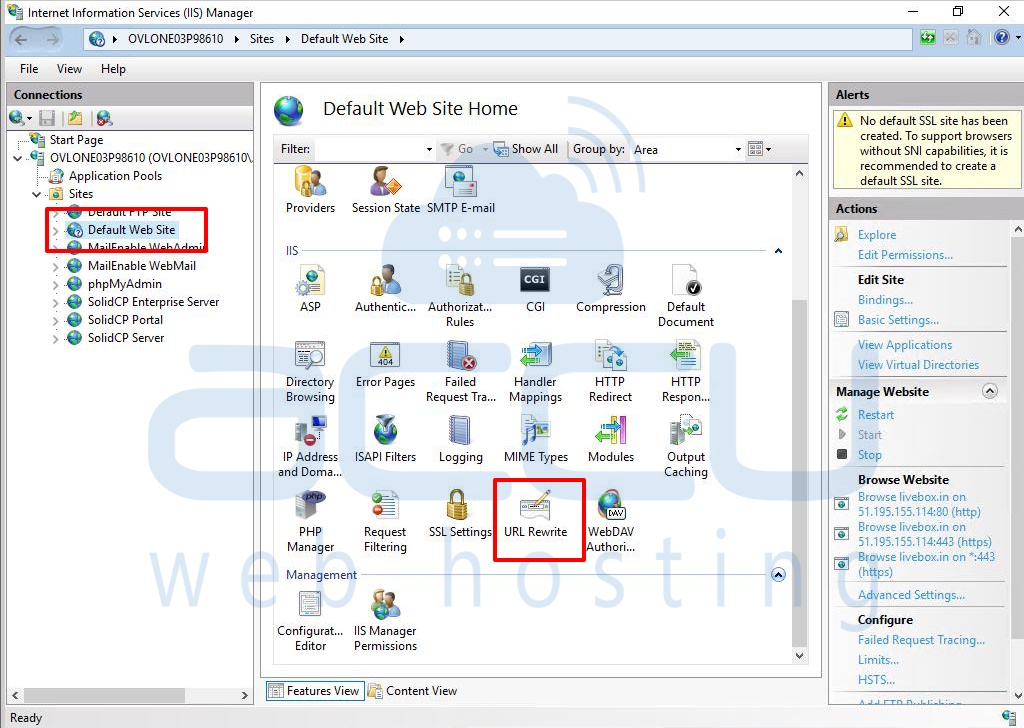
Step 3: On the right-hand side, under the Actions pane, click on Import Rules.
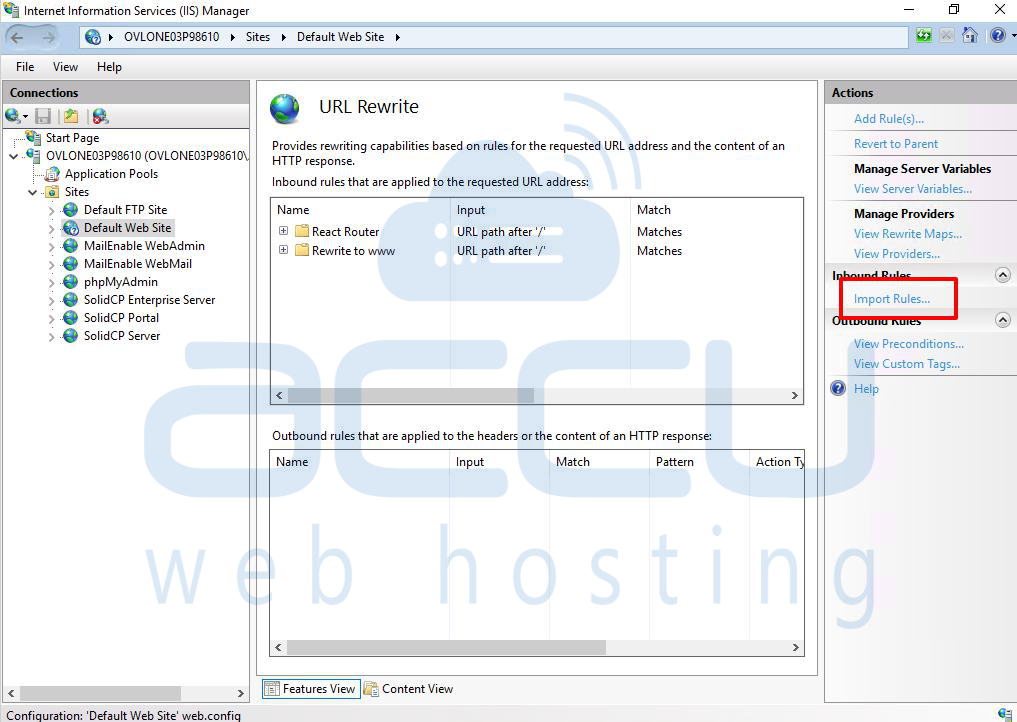
Step 4: Copy your mod_rewrite rules from the .htaccess file and paste them into the Rewrite rules text box.
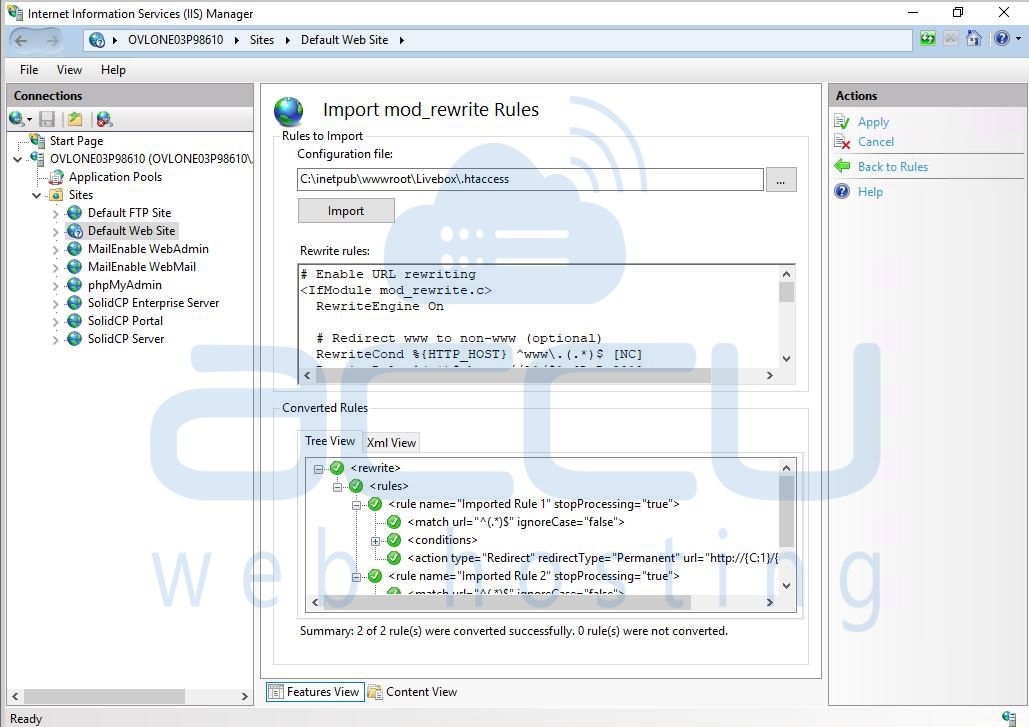
Step 5: The Tree View tab will instantly show the result of this conversion. XML View will show how these rules are stored in the web.config file.
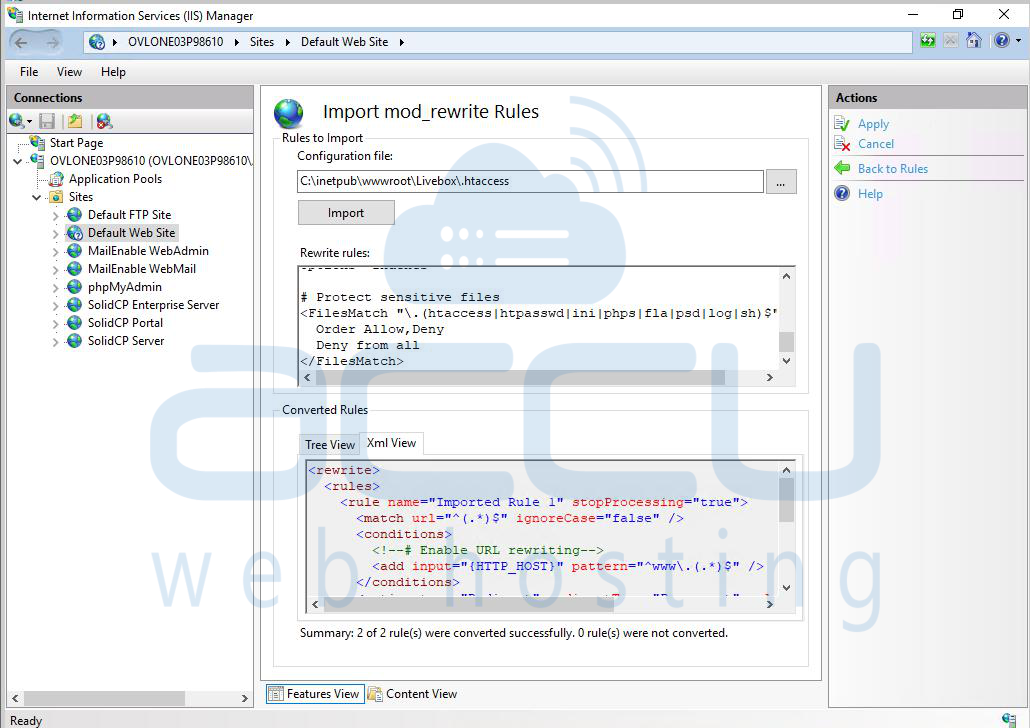
Step 6: After rule conversion, rules were assigned default names. You can change the rule name by selecting the rule from Tree View, right-clicking on the rule name, and selecting Rename from the context menu.
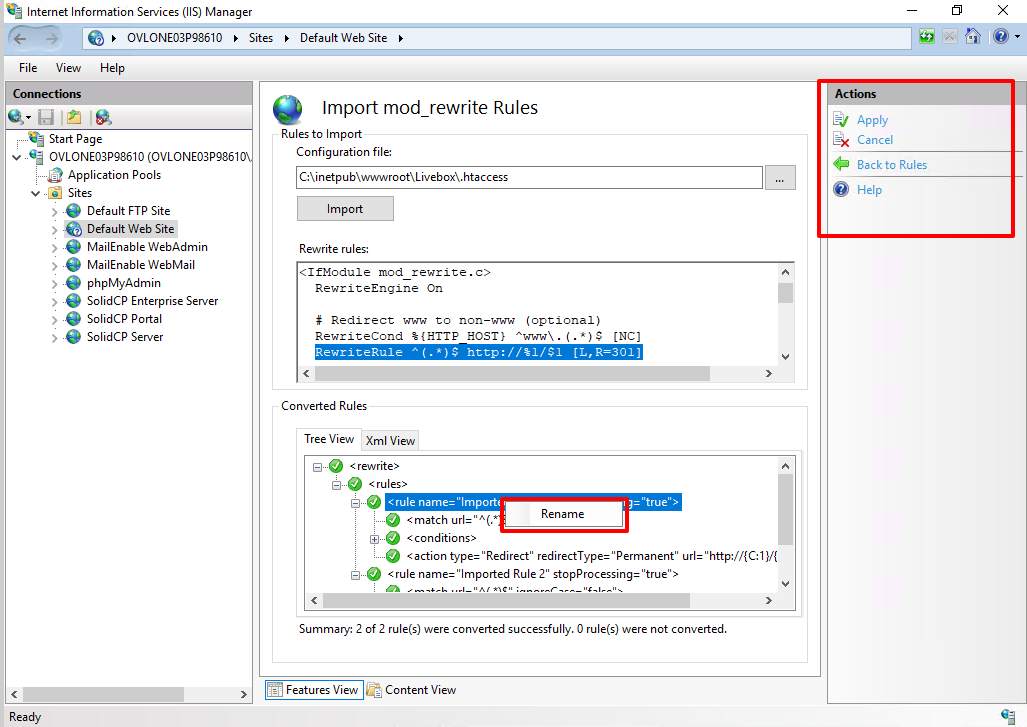
Step 7: Click Apply to save the converted rules to the web.config file.
Conclusion:
By following the above steps, you can enable mod_rewrite functionality on IIS using the Microsoft URL Rewrite Module. This ensures that your website benefits from clean, user-friendly URLs and maintains compatibility with Apache-style rewrite rules. Always test your rewrite rules after conversion to confirm they function correctly in IIS.


