
Step 1: Click on the Domains
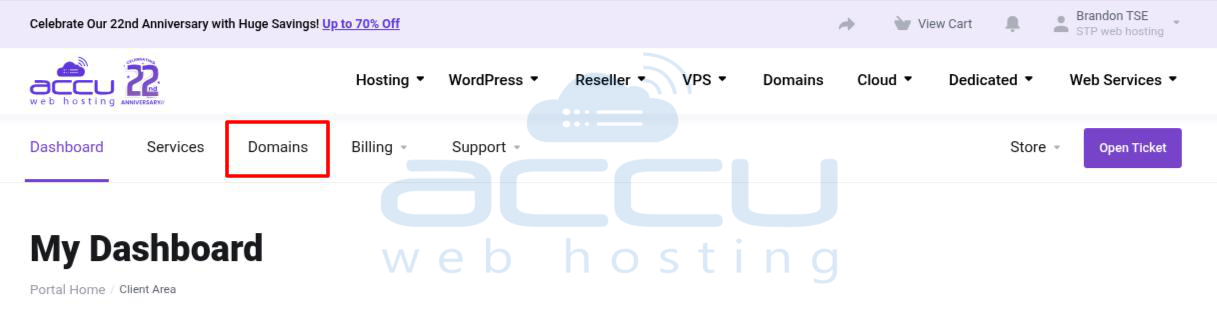
Step 2: Click on Register a New Domain option.
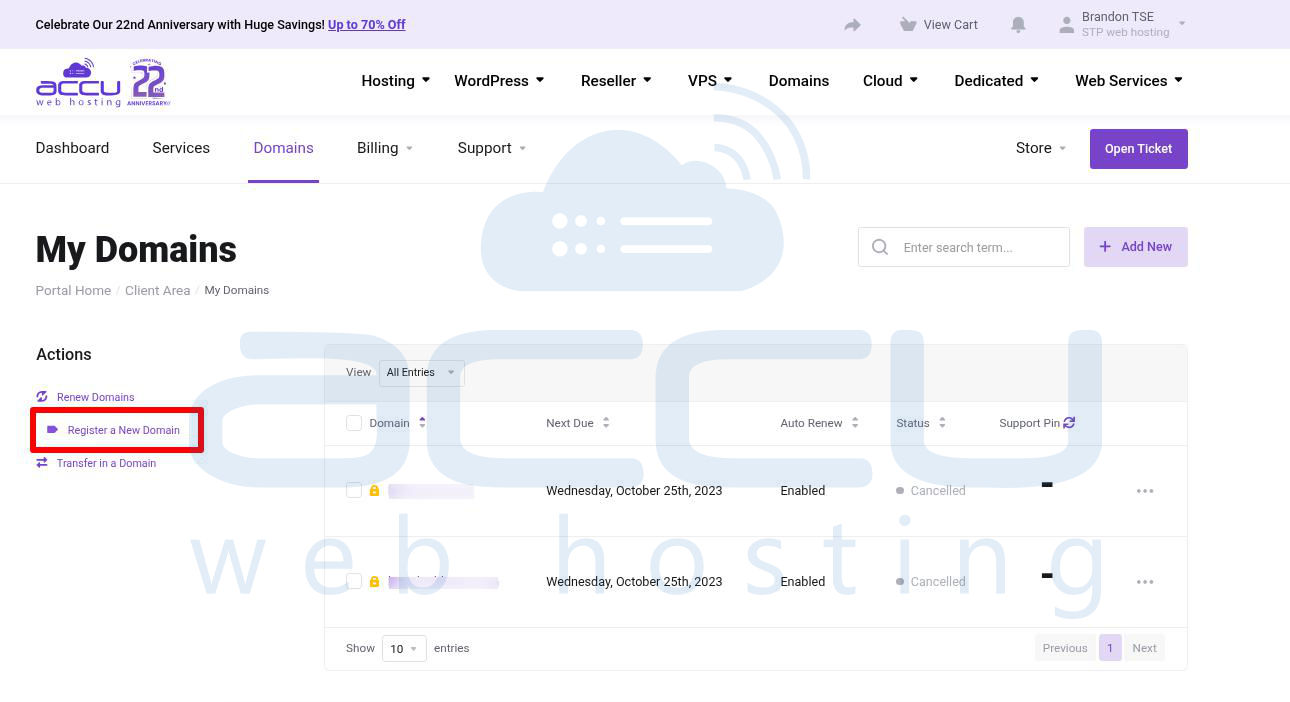
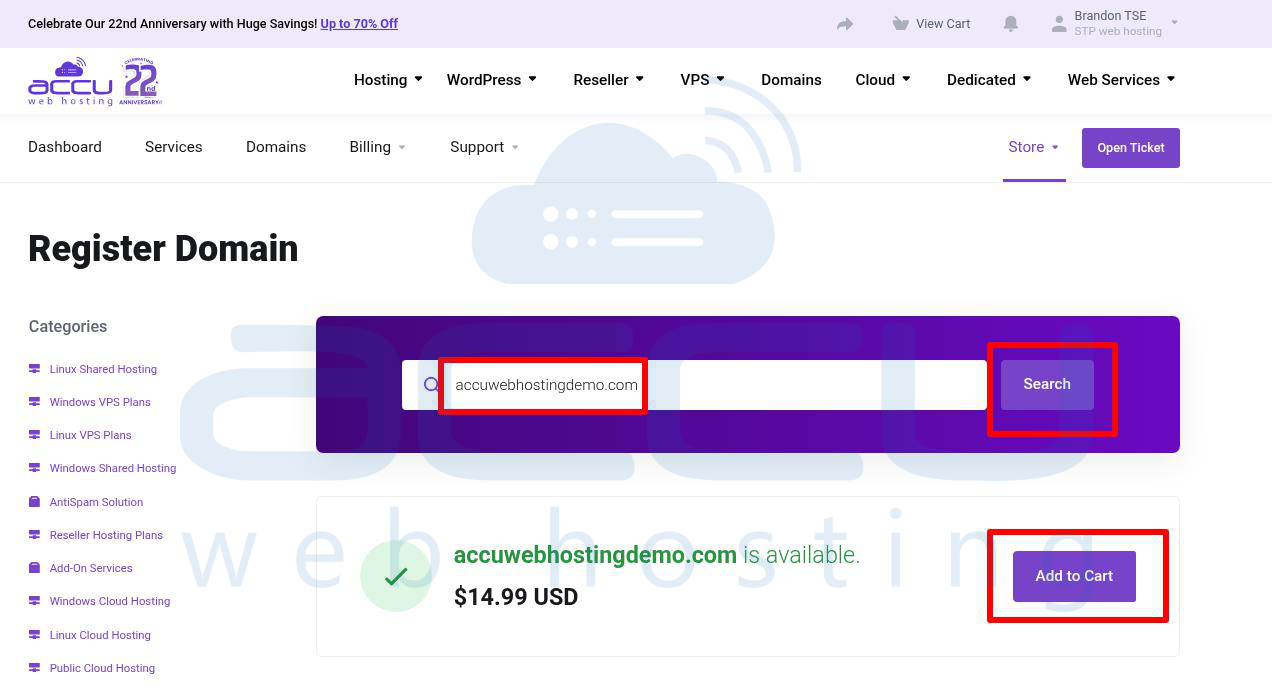
Step 3: You will see the Register Domain page. In the blank text box, enter the domain name you would like to register. Click on the Search button to check whether your desired domain is available or not.
If your domain is available, then it shows that your domain is available. To purchase, click on "Add to Cart."
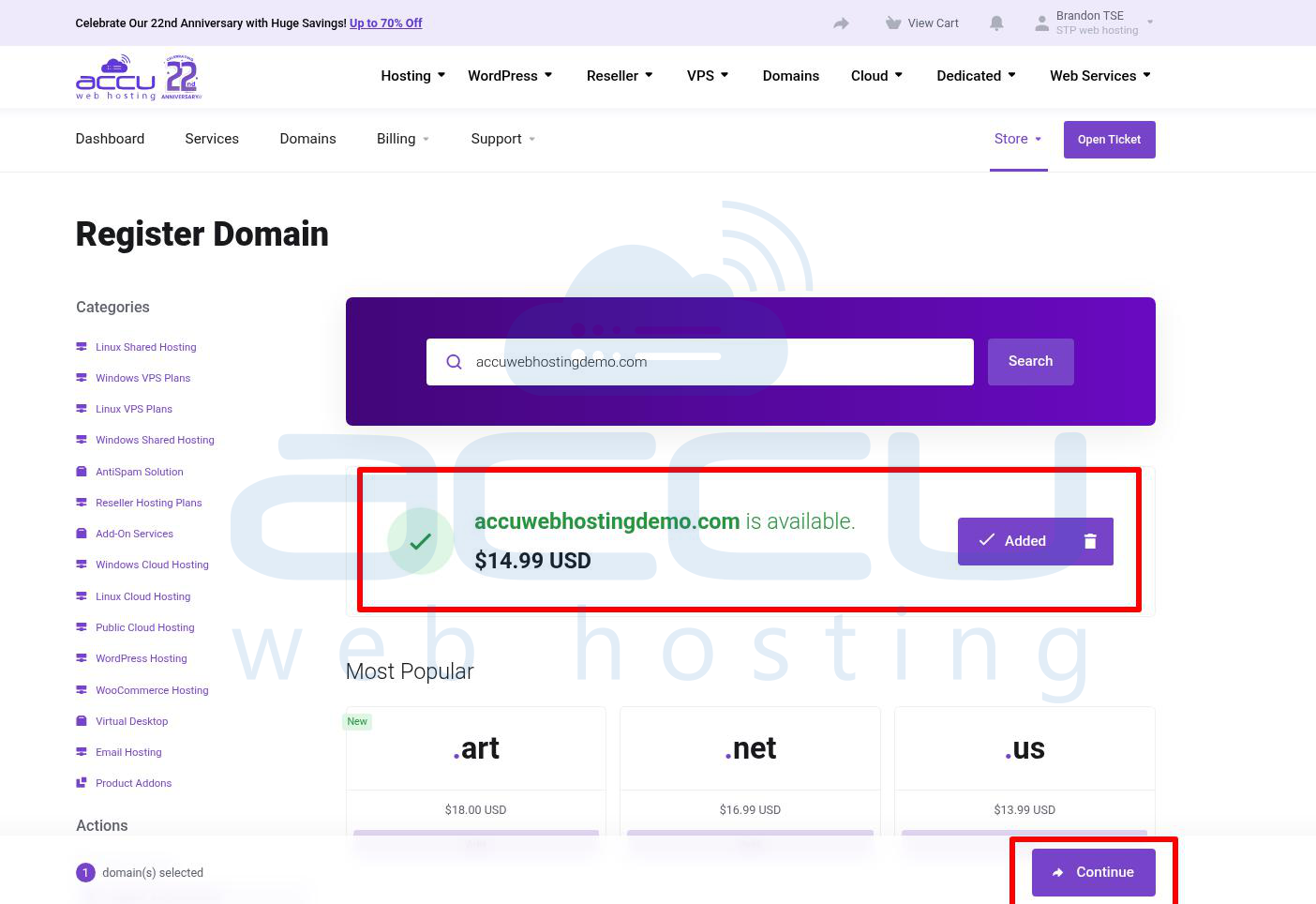
Step 4: Once you click on the "Add to cart," your domain is added to your cart, and you click the Continue button to proceed.
Step 5: In the next screen, you will see Domain Configuration options. If you want to purchase the "ID Protection," then you can check this box, and if you wish to use custom nameservers, enter them in the given text boxes. By default, our nameservers are filled in the text boxes.
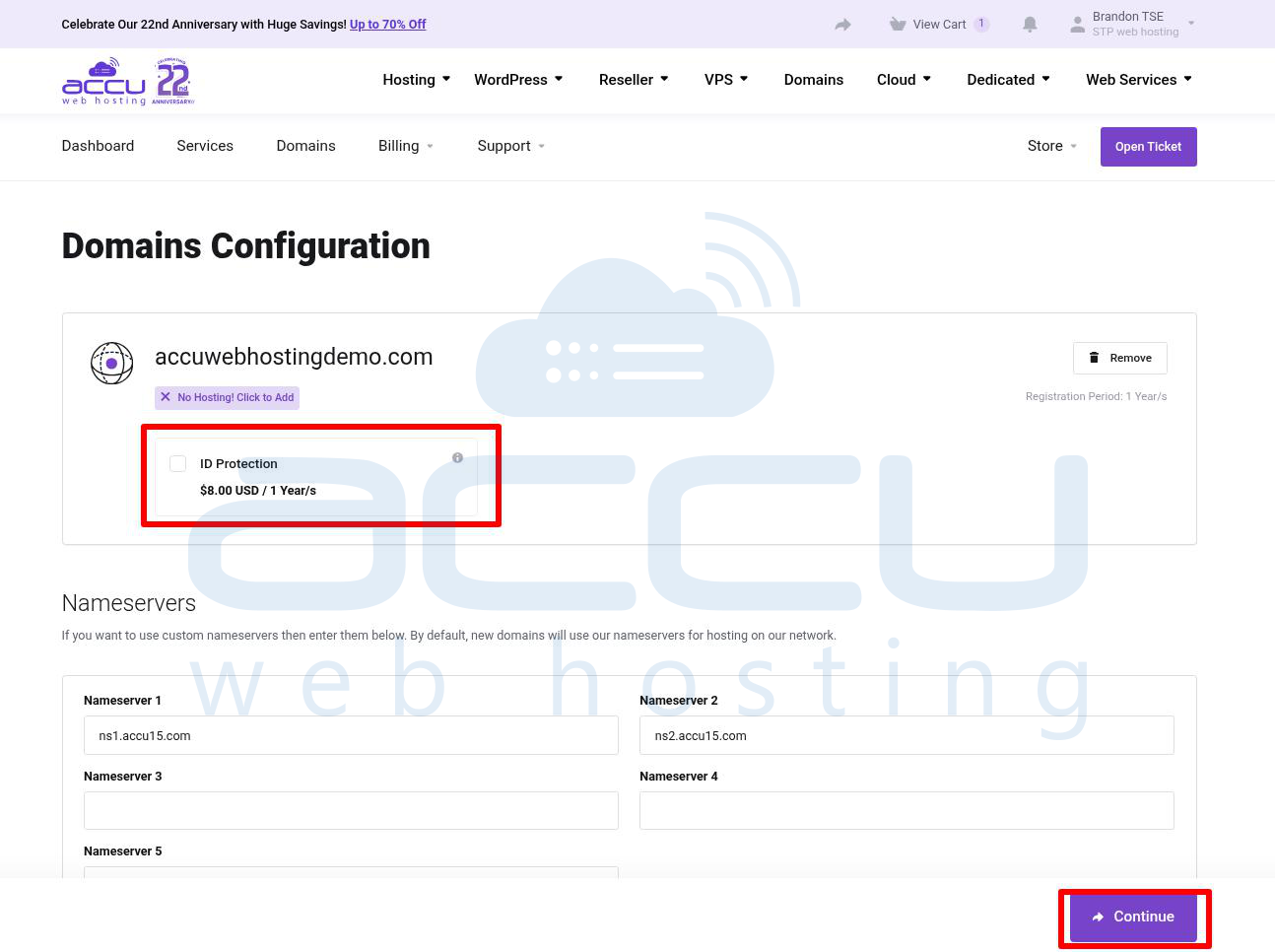
Step 6: After filling in the required details, click the Continue button. You will see the Review & Checkout page. Scroll down and choose your payment method. Add any additional information that you wish to include with your order, and click on the Complete Order button at the bottom of the page.
Step 7: Now, you will be redirected to the Payment Gateway. Pay your invoice and complete the order process.


