
IIS7 configuration files store all the settings and structure of your web server. Regular backups are essential to prevent loss of configuration due to accidental changes, updates, or server failures. Using the command prompt, you can quickly back up, view, restore, or delete IIS configuration files on your Windows VPS or Dedicated Server.
Backup:
Step 1: Log in to your server using administrative rights.
Step 2: Open the command prompt using Start → run → and type cmd.
Step 3: Navigate to the below-mentioned path:
%SYSTEMROOT%\System32\inetsrv\
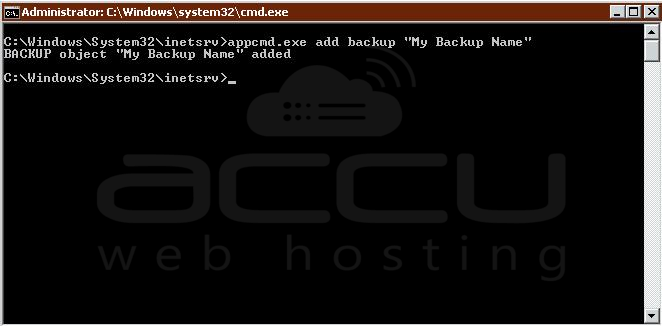
Step 4: Fire the following command to save the configuration backup:
# appcmd.exe add backup "My Backup Name"
View available Backups:
Step 1: Log in to your server using administrative rights.
Step 2: Open the command prompt using Start → run → and type cmd.
Step 3: Navigate to the below-mentioned path:
%SYSTEMROOT%\System32\inetsrv\
Step 4: Fire the following command to view the list of available backups:
# appcmd.exe list backup

Restore:
Step 1: Log in to your server using administrative rights.
Step 2: Open the command prompt using Start → run → and type cmd.
Step 3: Navigate to the below-mentioned path:
%SYSTEMROOT%\System32\inetsrv\
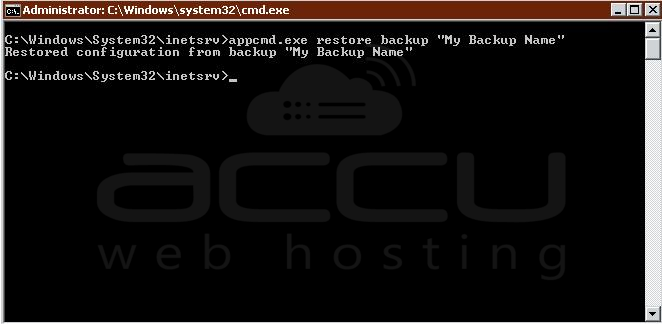
Step 4: Fire the following command to restore the backup:
# appcmd.exe restore backup "My Backup Name"
Delete Backup:
Step 1: Log in to your server using administrative rights.
Step 2: Open the command prompt using Start → run → and type cmd.
Step 3: Navigate to the below-mentioned path:
%SYSTEMROOT%\System32\inetsrv\</pre
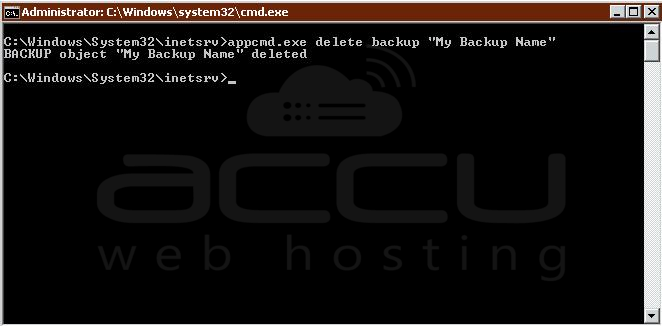
Step 4: Fire the following command to remove the backup:
# appcmd.exe delete backup "My Backup Name"
Notes:
- You can also assign any name instead of "My Backup Name".
- This will only work for the clients who have admin access to a VPS/Dedicated Server.
Regularly backing up the IIS configuration ensures that your web server settings are safe and can be restored quickly in case of any issues. By following the above steps, you can efficiently manage backups, view existing backups, restore previous configurations, and delete unnecessary backups, all via the command prompt.


