
Introduction
Sending emails from a website is an essential feature for many applications, including contact forms, user notifications, and order confirmations. While PHP provides a basic mail() function, it is not always reliable or secure, especially in shared hosting environments.
PHPMailer is a powerful and widely used library that enables you to send emails using SMTP authentication, making the process more secure and dependable. If your website is hosted on Plesk, setting up PHPMailer is straightforward when you follow the correct steps.
In this article, we will walk you through the process of implementing PHPMailer on your Plesk-hosted domain so you can send emails efficiently and confidently.
What is PHPMailer?
PHPMailer is an open-source PHP library designed to simplify email sending from web applications. It provides an easy-to-use, object-oriented interface that is more flexible and reliable than PHP’s built-in mail() function.
It supports advanced features such as SMTP authentication, HTML emails, attachments, and secure email transmission, making it a preferred choice for developers.
Key Features of PHPMailer:
SMTP Support: Send emails using SMTP servers for improved reliability and control over delivery.
HTML Email Support: Create rich, styled email content with images, tables, and formatting.
Attachments: Easily attach files from the server or dynamically generated content.
Security (SSL/TLS): Supports secure connections to protect email data during transmission.
Error Handling: Provides detailed error messages to help troubleshoot issues quickly.
Steps to Implement PHPMailer in Plesk:
Follow the steps below to configure and use PHPMailer on your Plesk-hosted domain:
Step 1: Log in to Plesk
Access your Plesk control panel using your login credentials.
Step 2: Open File Manager
Navigate to:
Files & Databases → Files
This will open the File Manager for your domain.
Step 3: Download PHPMailer
Download the latest version of PHPMailer from its official GitHub repository to your local system.
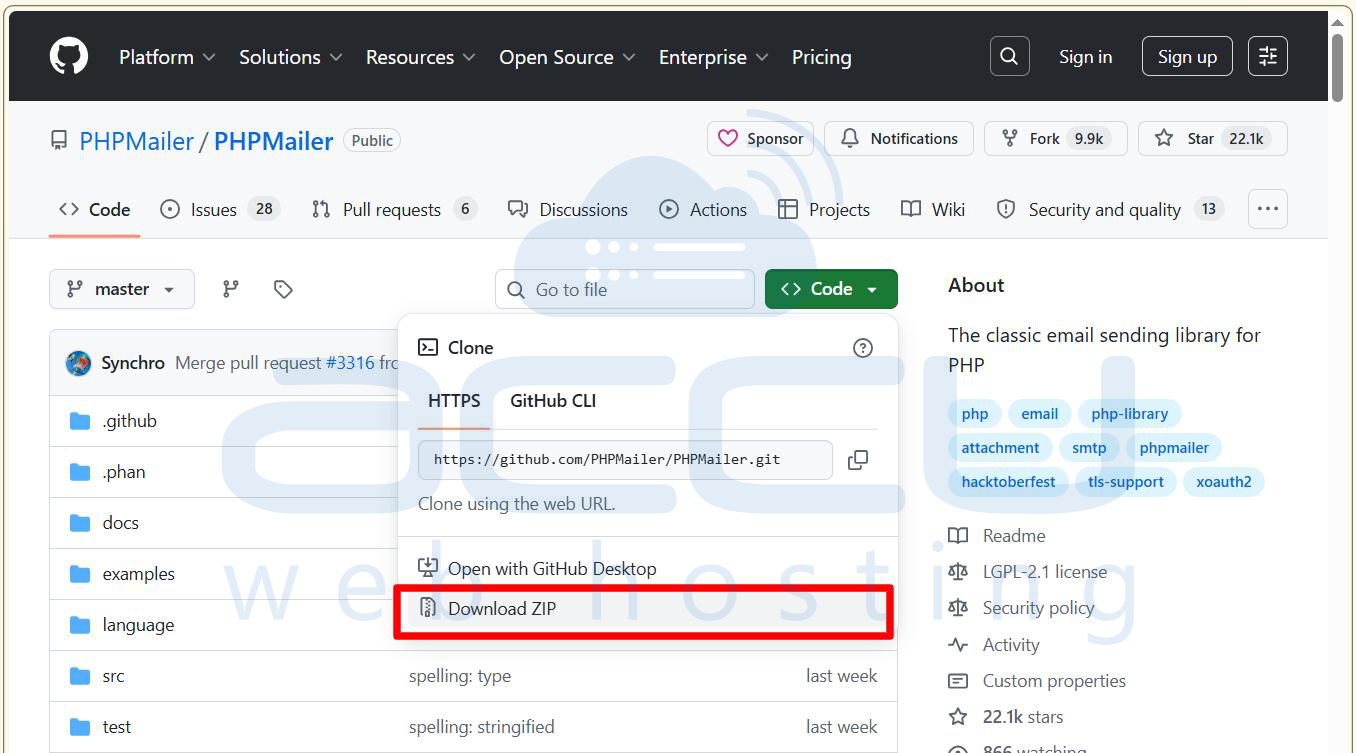
Step 4: Upload PHPMailer to Your Server
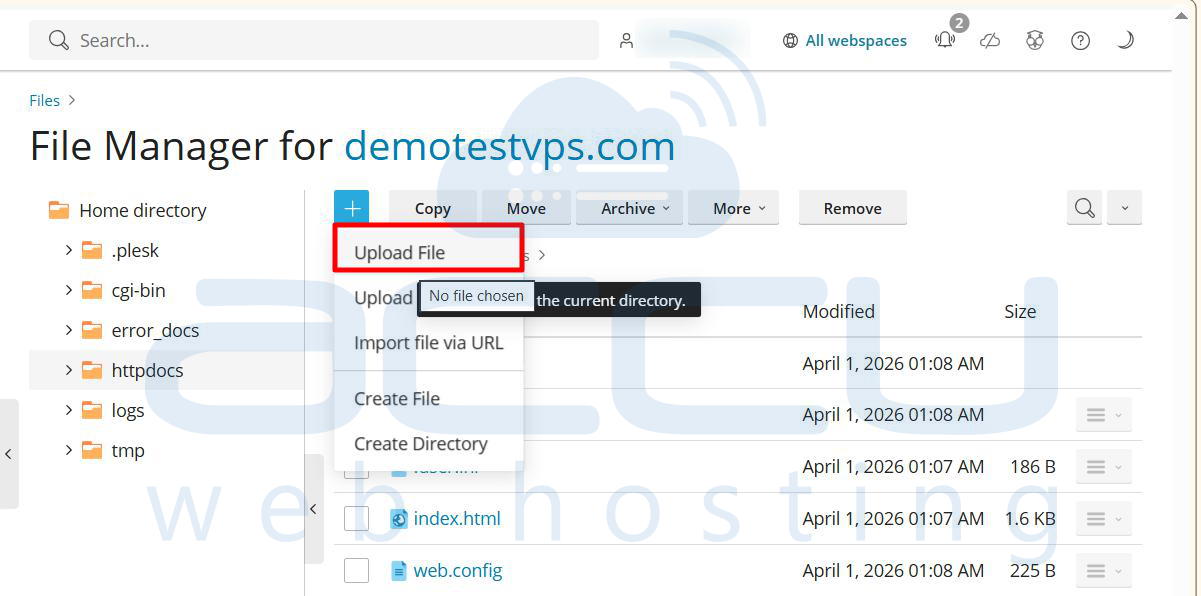
Go to your target directory (usually httpdocs) in File Manager.
Click Upload and upload the PHPMailer ZIP file
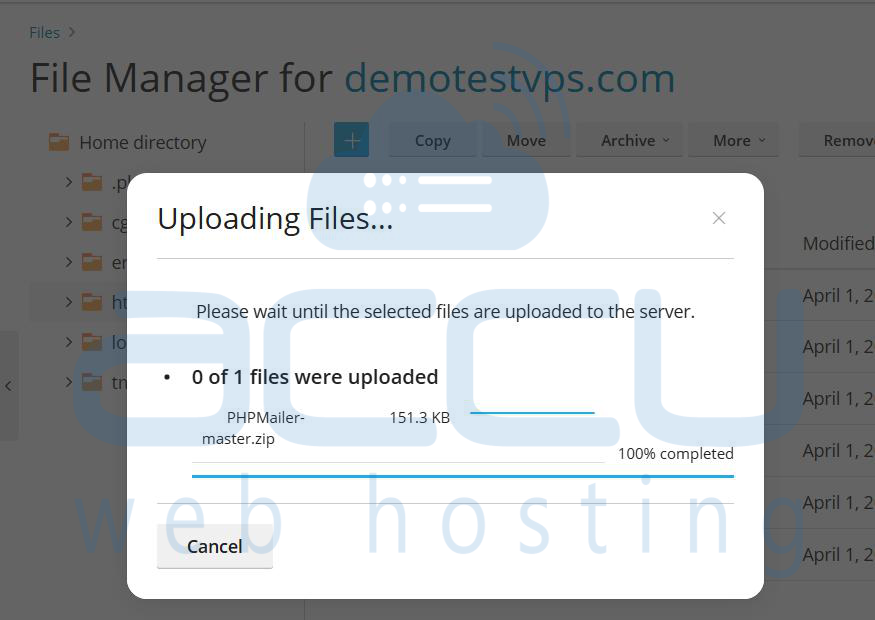
Extract the ZIP file after uploading.
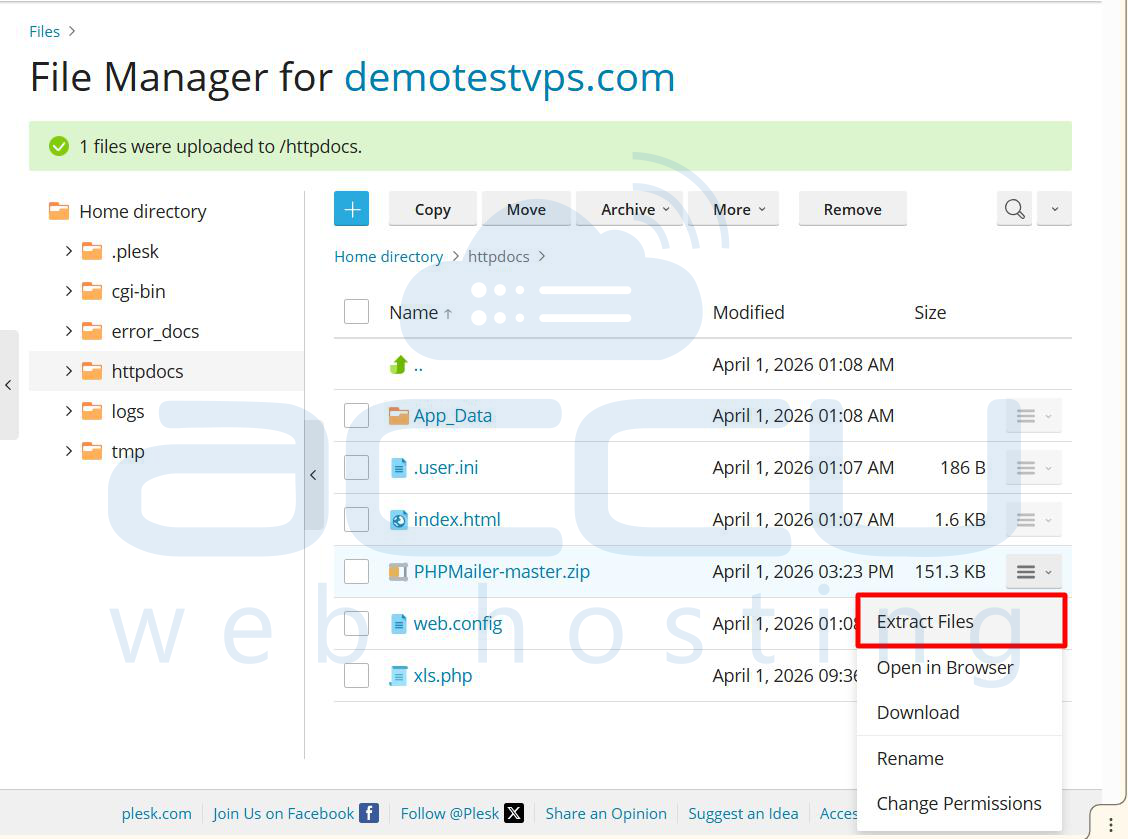
Ensure the PHPMailer folder is properly placed in your directory
Step 5: Create a PHP Script
Navigate to your target directory (e.g., httpdocs) Click + File Create a new file named: sendmail.php [ You can give any other name as per your requirements.]
Step 6: Configure the PHPMailer Script
Open the sendmail.php file Add your PHPMailer code.
The following is a simple script that you can use:
<?php
error_reporting(E_ALL);
ini_set('display_errors', 1);
require DIR . '/src/PHPMailer.php';
require DIR . '/src/SMTP.php';
require DIR . '/src/Exception.php';
use PHPMailer\PHPMailer\PHPMailer;
use PHPMailer\PHPMailer\Exception;
$mail = new PHPMailer(true);
try {
$mail->isSMTP();
$mail->Host = 'Your-SMTP Server';
$mail->SMTPAuth = true;
$mail->Username = 'Sender email Address';
$mail->Password = 'Email account password';
$mail->SMTPSecure = 'ssl';
$mail->Port = 465;
$mail->setFrom('Sender email Address', 'Your Name');
$mail->addAddress('Recepient email Address', 'User Name');
$mail->addReplyTo('ReplyTo email Address', 'Your Name');
$mail->isHTML(true);
$mail->Subject = 'Test Email';
$mail->Body    = '<b>This is a test email</b>';
$mail->AltBody = 'This is a test email';
$mail->send();
echo 'Message has been sent';
} catch (Exception $e) {
echo "Mailer Error: " . $mail->ErrorInfo;
}
Update the following details:
File Paths:
- PHPMailer.php
- SMTP.php
- Exception.php
SMTP Configuration:
- SMTP Host (e.g., smtp.example.com)
- Email Address (e.g., [email protected])
- Password
- Save the file after making changes
Step 7: Run the Script
Open your web browser and access: https://yourdomain.com/sendmail.php
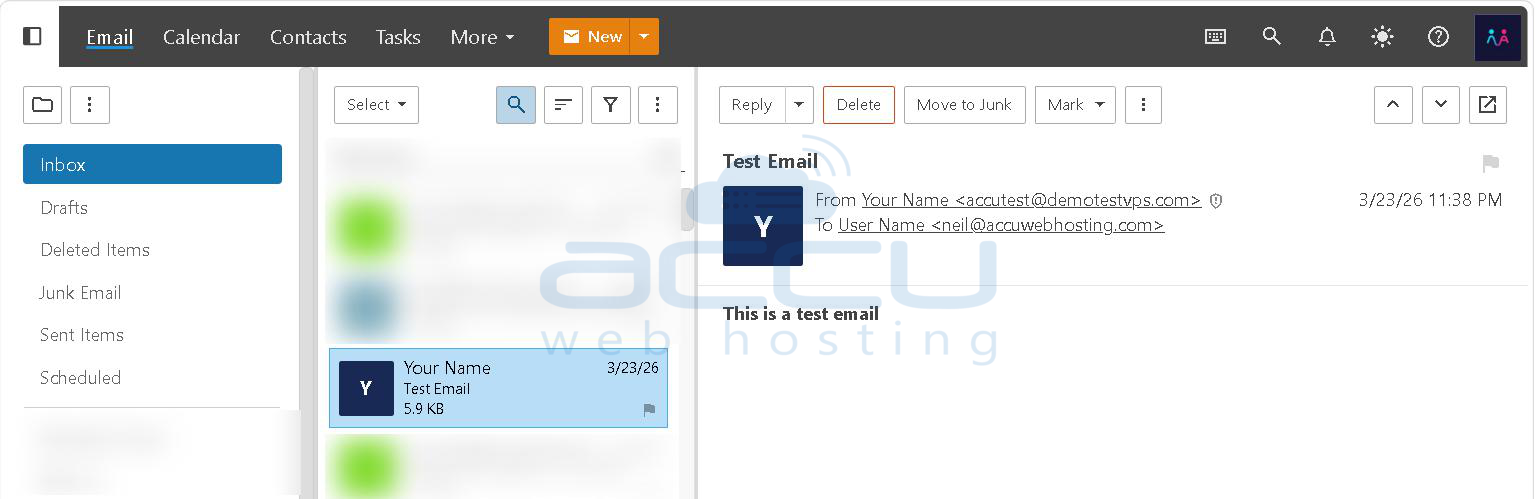
Step 8: Verify Email Delivery
If everything is configured correctly, you should see:
Message has been sent
Check the recipient’s inbox to confirm successful delivery.
Conclusion
Setting up PHPMailer in Plesk is a simple yet effective way to improve the reliability and security of your website’s email functionality. By using SMTP authentication, you can avoid common issues associated with PHP’s default mail() function.
By following the steps outlined above, you should now be able to integrate PHPMailer into your project with ease. With PHPMailer properly configured, your website is well-equipped to handle secure, professional, and dependable email communication.
