
Monitoring bandwidth usage is an important part of managing a reseller hosting account. It helps ensure that you stay within resource limits, avoid service interruptions, and plan upgrades when necessary. WHM provides multiple ways to view bandwidth data for all accounts under your reseller account. Below are two reliable methods to check total bandwidth usage in WHM.
Method 1: View Bandwidth Usage Section
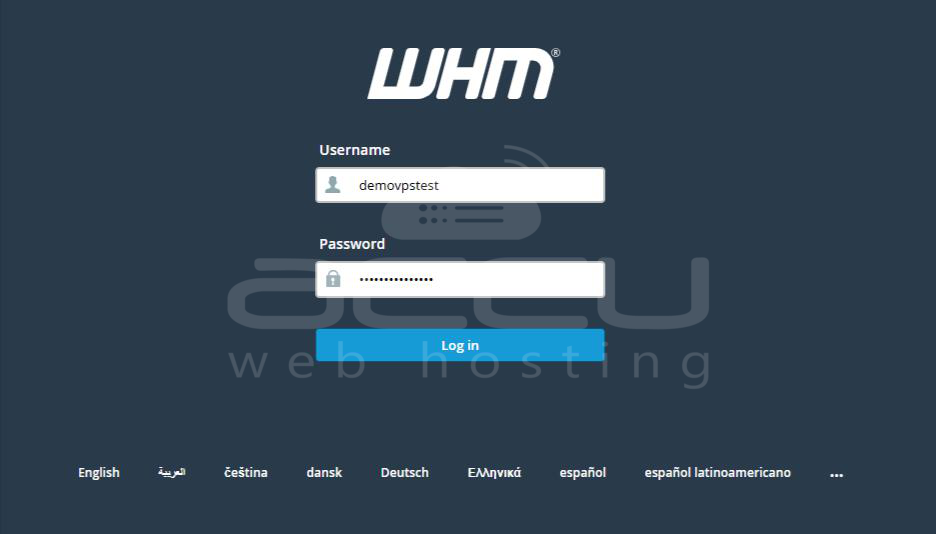
Step 1: Access your WHM dashboard using your reseller login credentials. Once logged in, the main navigation menu appears on the left side.
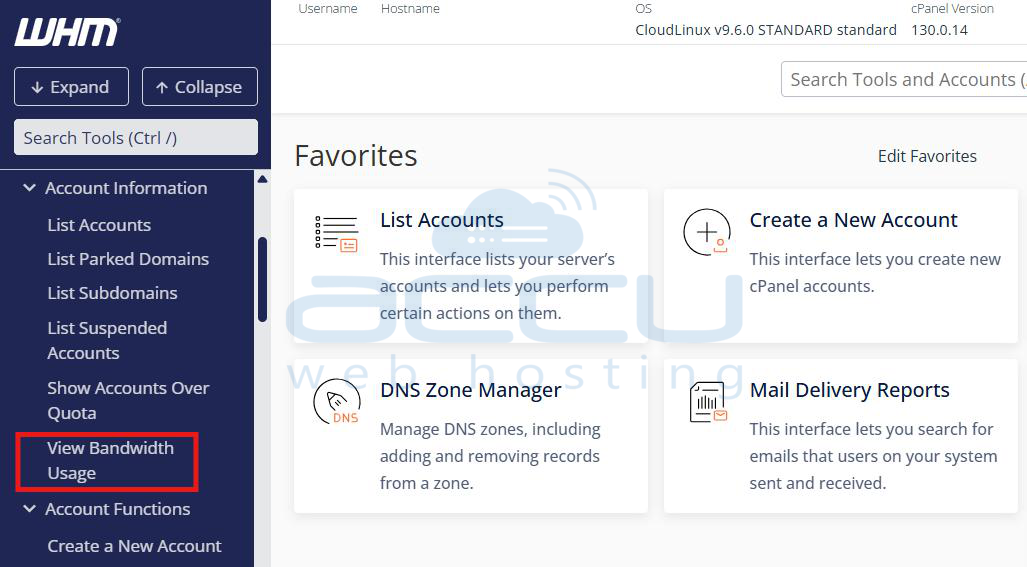
Step 2: In the sidebar, navigate to: Account Information → View Bandwidth Usage.
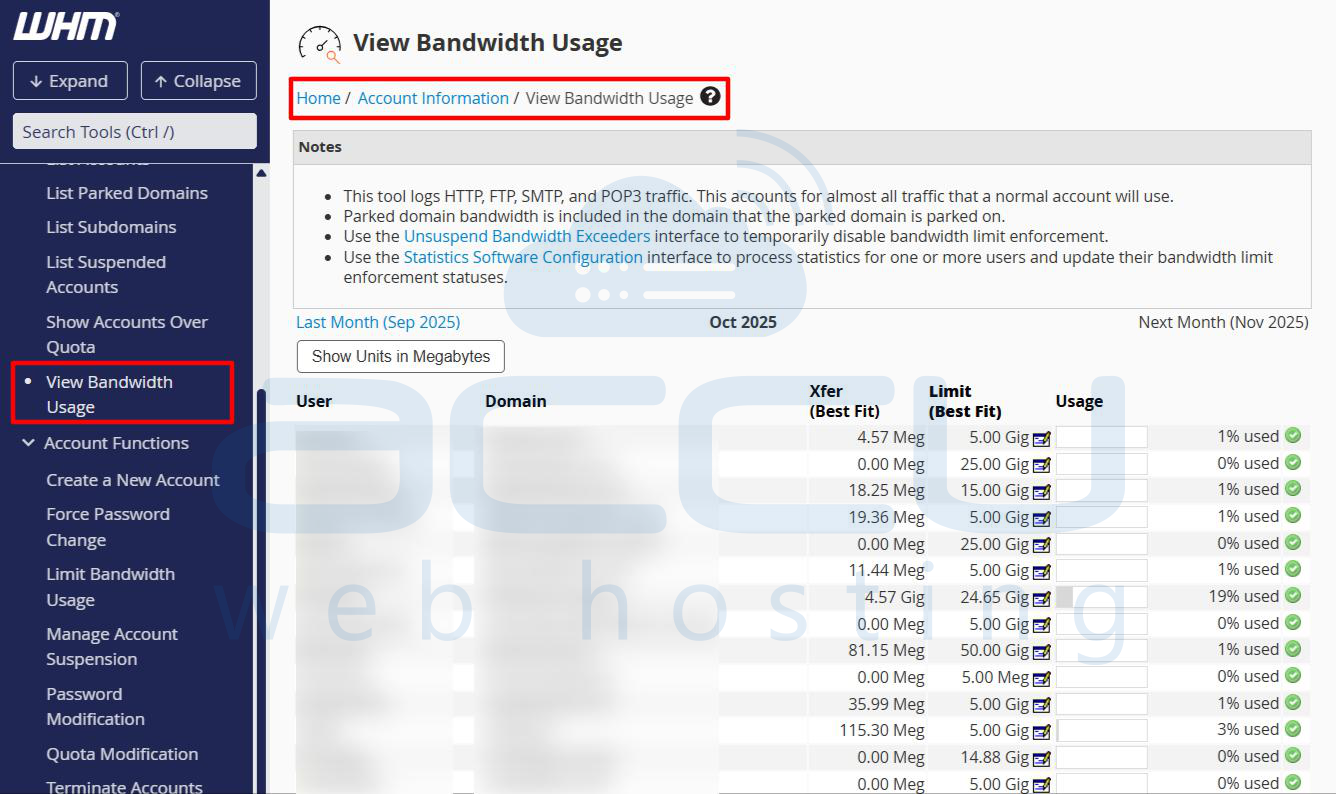
Step 3: This section displays a detailed list of all cPanel accounts under your reseller account.
Each entry includes the username of the cPanel account, primary domain associated with the account, total bandwidth used, shown in megabytes (MB) or gigabytes (GB), maximum bandwidth limit assigned to that account and percentage of bandwidth consumed.
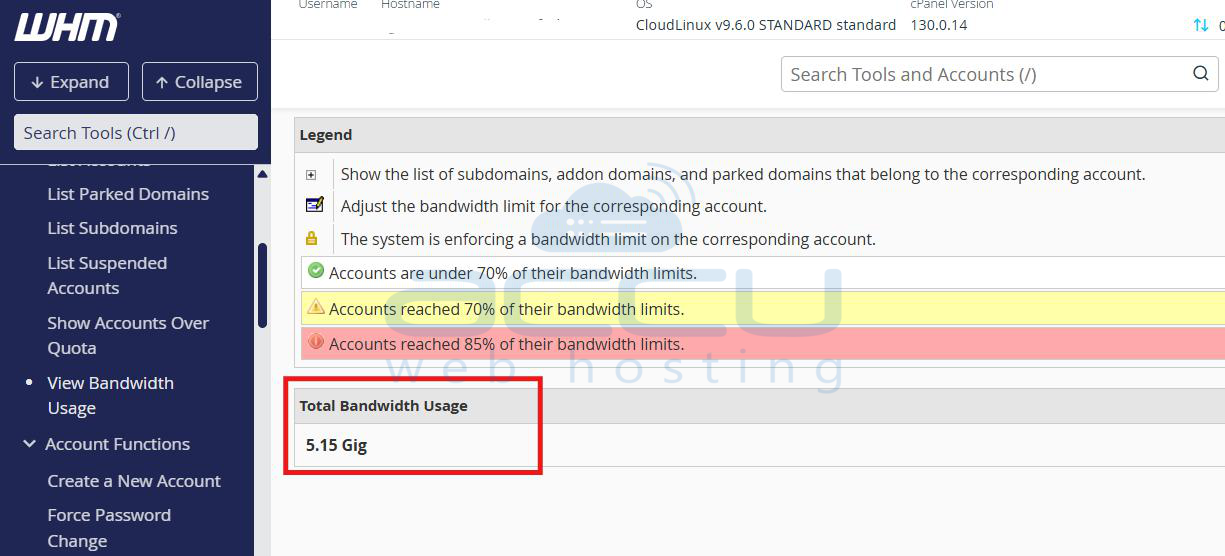
At the bottom of the page, WHM displays a summary labeled “Total Bandwidth Usage.”
Method 2: Reseller Center Summary
Step 1: From your WHM dashboard, go to: Home → Reseller → Reseller Center.
Step 2: Under the Reseller Management section, locate your reseller username. This area provides access to multiple management tools related to your reseller privileges. Click View Reseller Usage and Manage Account Status.
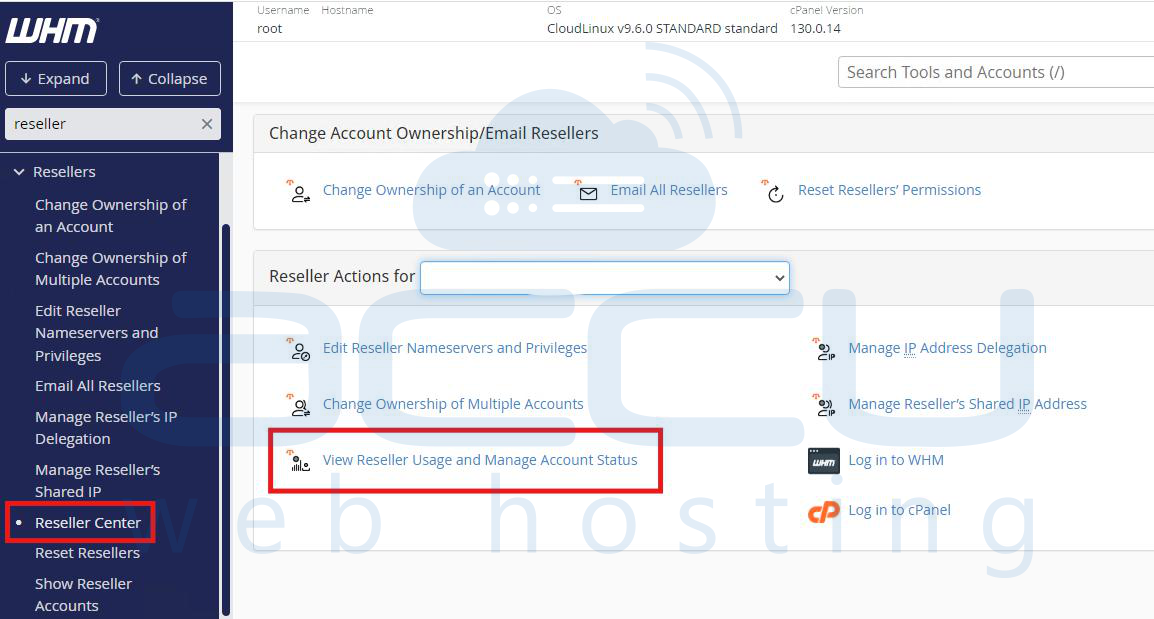
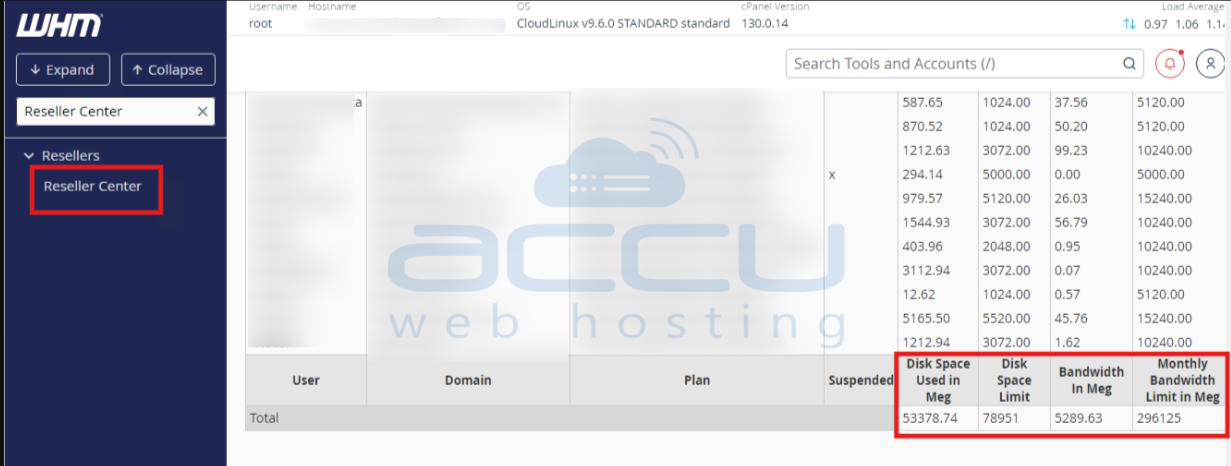
WHM will display a summary report showing total Bandwidth Usage for all accounts, total Disk Space Usage, account ownership and usage details. At the bottom of the page, you will see the total disk space usage and total Bandwidth Usage for all accounts.
Conclusion
Both the View Bandwidth Usage and Reseller Center Summary sections in WHM provide accurate insights into your total bandwidth consumption. The Reseller Center Summary provides an overall snapshot of your total usage. Using these tools regularly helps maintain account efficiency, prevent overuse, and optimize hosting performance.


