
A reseller account in WHM (Web Host Manager) is like having a wholesale account for web hosting services. It allows you to buy hosting resources in bulk from a hosting provider and then sell them to your customers under your brand name.
With a reseller account, you can create and manage multiple individual hosting accounts for different clients. You can offer them web hosting services while handling technical aspects and customer support. It's a way to start your hosting business without managing the infrastructure.
Suspending an account means the associated website is no longer visible online. Instead, visitors will see a message indicating that the account is suspended. Customers with suspended accounts cannot use FTP, SSH, or cPanel to access their accounts.
In WHM, you can suspend or unsuspend accounts. When you suspend an account, visitors will see a generic suspension page when accessing the associated websites. Unsuspending the account will automatically remove this redirect.
Reasons for suspending an account might include:
-> Using more bandwidth/disk space than allowed.
-> Not paying for services on time.
-> Violating the terms of service.
How do you suspend a Reseller account in WHM?
Step 1: Log in to WHM.
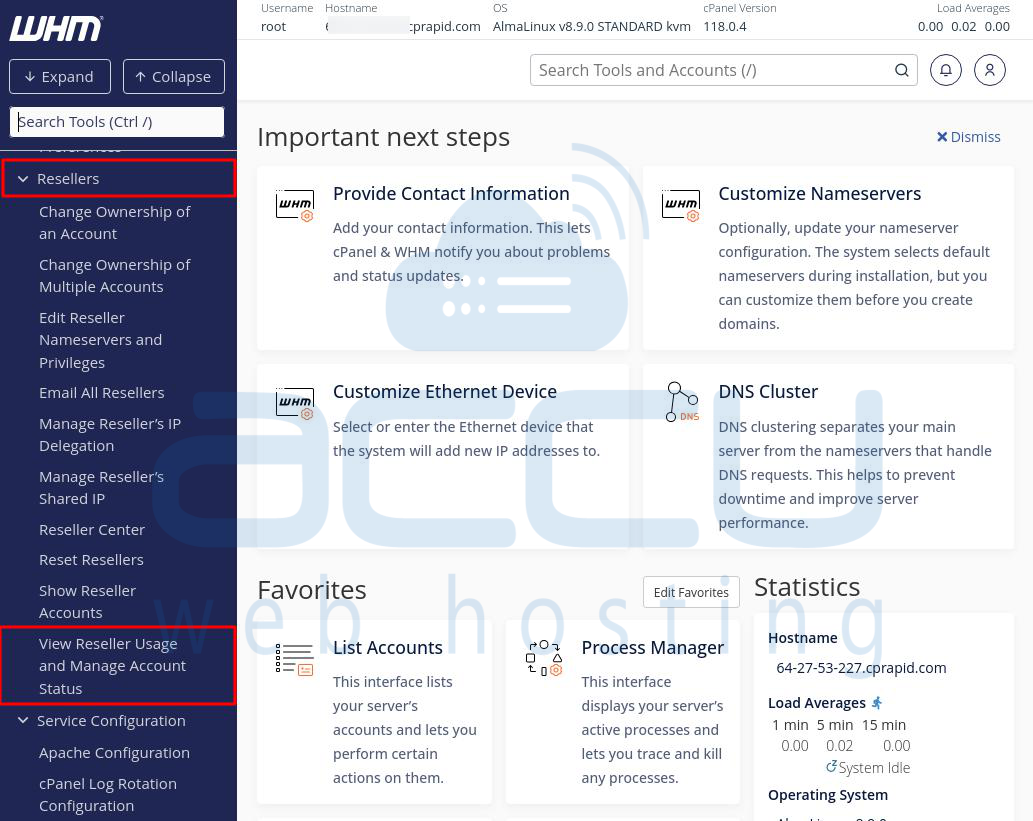
Step 2: Click the "Reseller" option on the WHM homepage.
Step 3: Select "View Reseller Usage and Manage Account Status."
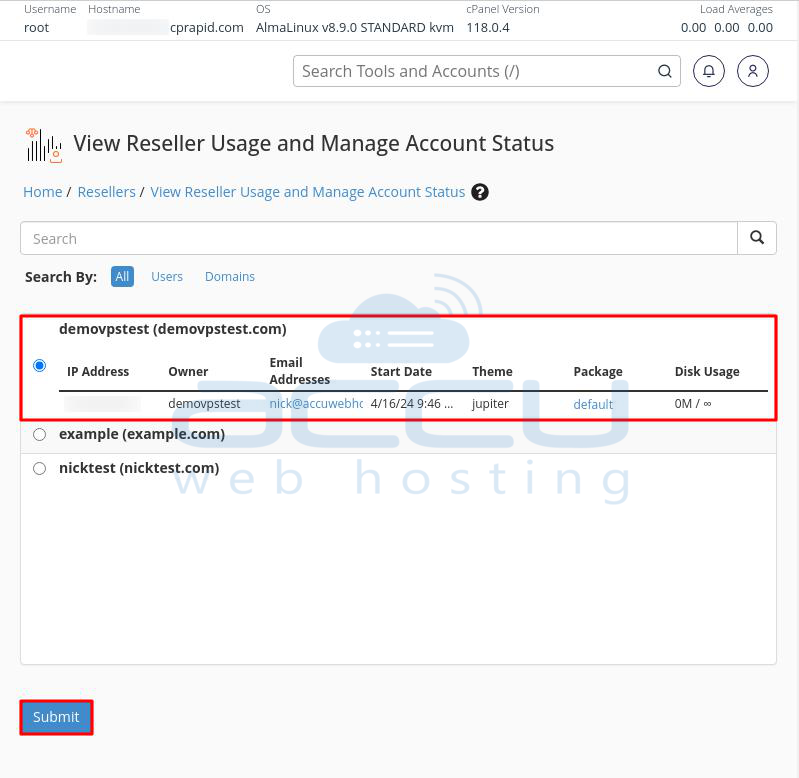
Step 4: In the new window, choose the reseller account you want to suspend (e.g., demovpstest.com) and click the submit button.
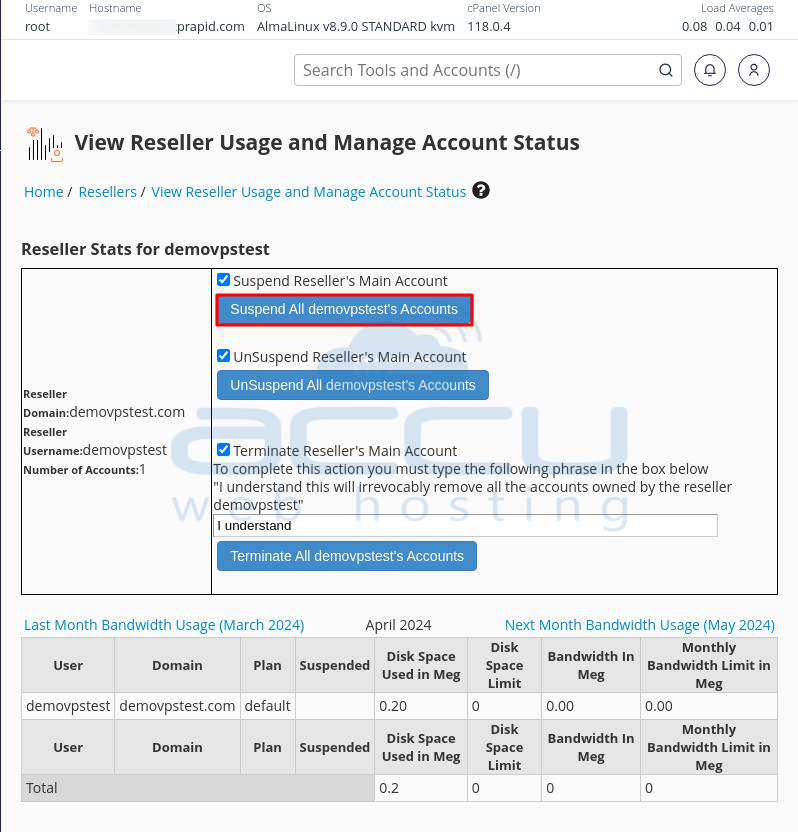
Step 5: Click "Suspend All Reseller Accounts."
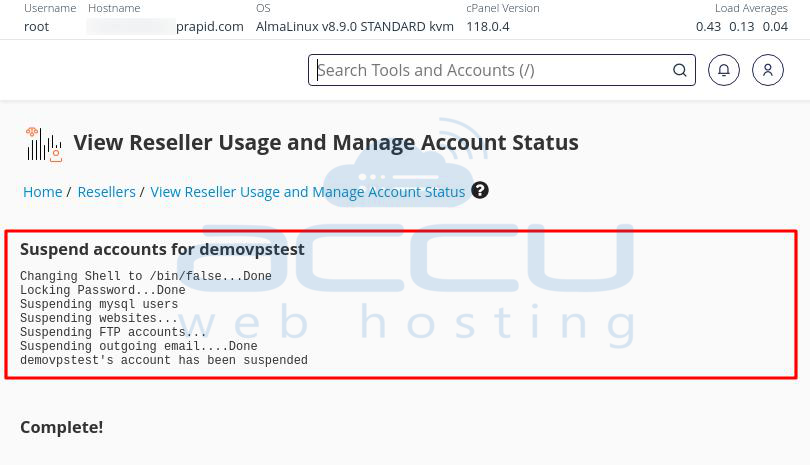
Step 6: You'll receive a confirmation message on the screen once the reseller account is suspended.
How do you unsuspend a Reseller account in WHM?
Step 1: Log in to WHM.
Step 2: Click the "Reseller" option on the WHM homepage.
Step 3: Select "View Reseller Usage and Manage Account Status."
Step 4: In the new window, choose the reseller account you want to unsuspend (e.g., nicktest) and click the submit button.
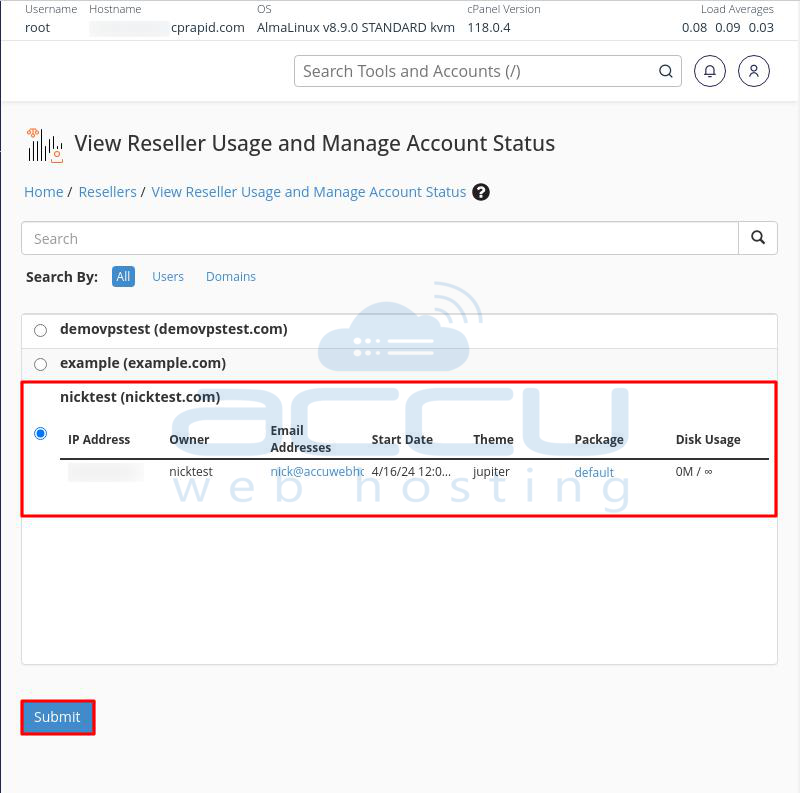
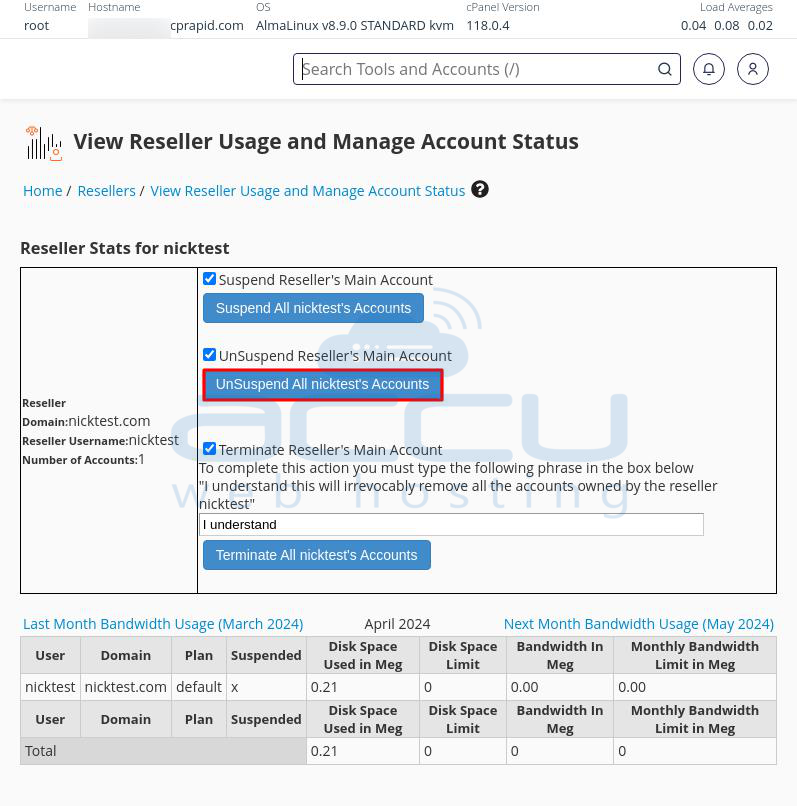
Step 5: Click "Unsuspend All Reseller Accounts."
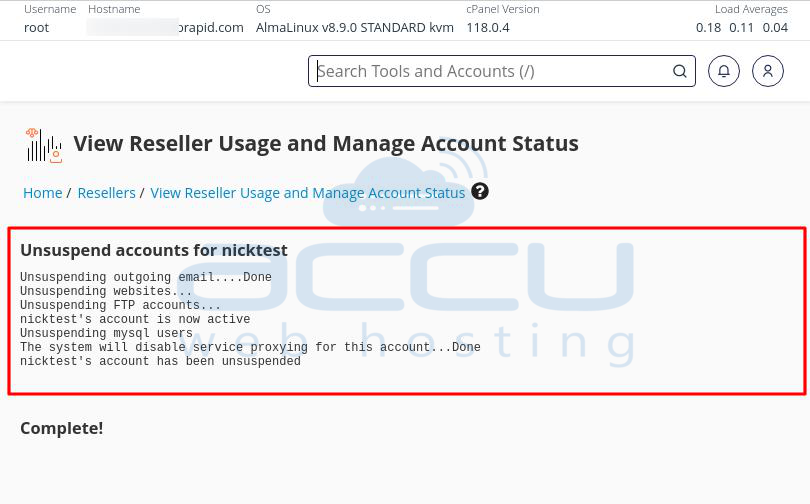
Step 6: You'll receive a confirmation message on the screen once the reseller account is unsuspended.
How do you suspend a Reseller account from the Terminal?
To suspend a reseller account from the Terminal, you can use commands like whmapi1 provided by WHM's API or cPanel scripts. This lets you control WHM functions directly from the command line. Here's how to do it:
Step 1: Log into your cPanel server using SSH.
Step 2: Use the SSH command to connect to your cPanel server. You'll need the server's IP address or domain, as well as your SSH username and password.
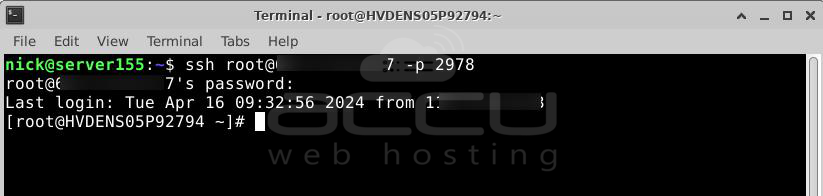
Step 3: Once logged in via SSH, use one of the following commands to suspend the reseller account. Replace reseller_username with the username of the reseller account you want to suspend:
# whmapi1 suspendreseller user=reseller_username
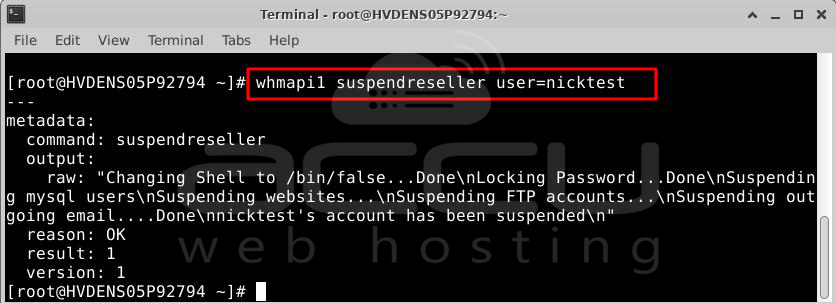
or
/usr/local/cpanel/scripts/suspendacct reseller_username "reason"
The second command, reason, is optional and lets you specify a reason for the suspension. This reason will be recorded in the account's suspension file for reference.
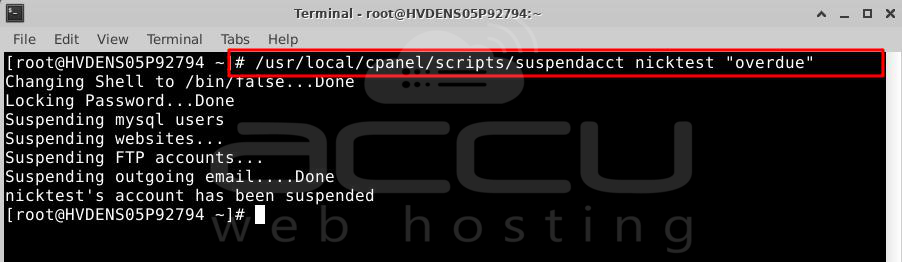
These commands can easily suspend a reseller account from the Terminal on your cPanel server. Always use these commands responsibly and with proper authorization.
How do you unsuspend a Reseller account from the Terminal?
Step 1: Log in to your cPanel server using SSH.
Step 2: Use the SSH command to connect to your cPanel server. You'll need the server's IP address, domain, SSH username, and password.
Step 3: Once you're logged in via SSH, use the following command to unsuspend the reseller account: Replace reseller_username with the username of the reseller account you want to unsuspend:
# whmapi1 unsuspendacct user=reseller_username
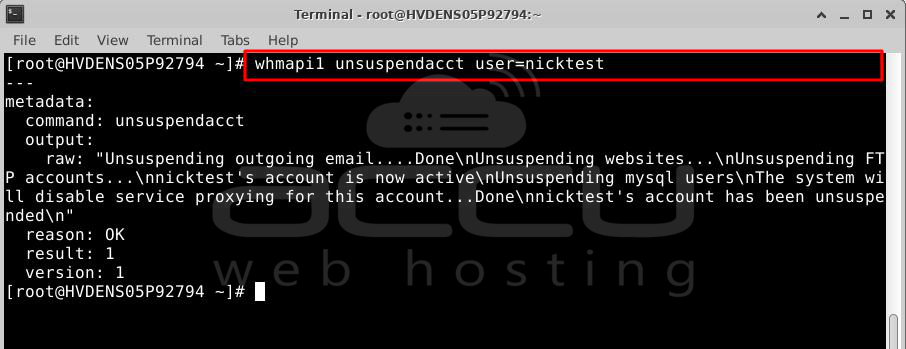
or
# /usr/local/cpanel/scripts/unsuspendacct reseller_username "reason"
In the second command, reason is optional and lets you specify a reason for unsuspending the account.
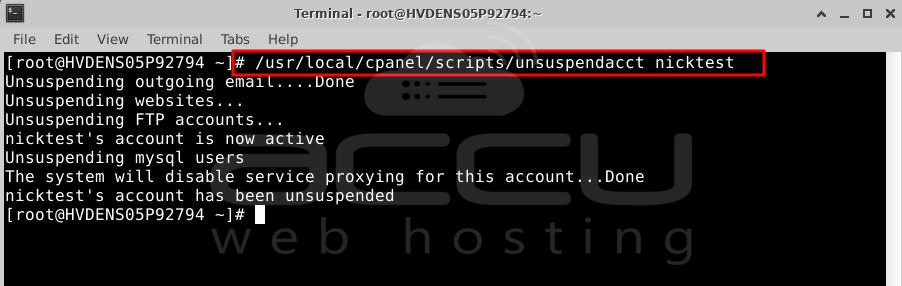
Important Notes:
-> Ensure you have SSH access to your server and the necessary permissions to run WHM API commands.
-> Double-check the account username before running the command to avoid unsuspending the wrong account.
Following these steps, you can easily unsuspend a reseller account in WHM directly from the Terminal using the whmapi1 command or cPanel script. This method helps manage WHM accounts remotely or through automated processes. Adjust the commands based on your specific server setup and requirements.
How to customizing the suspended account page from WHM?
You can change the page visitors see when viewing a suspended website. Follow these steps:
Step 1: Log in to WHM.
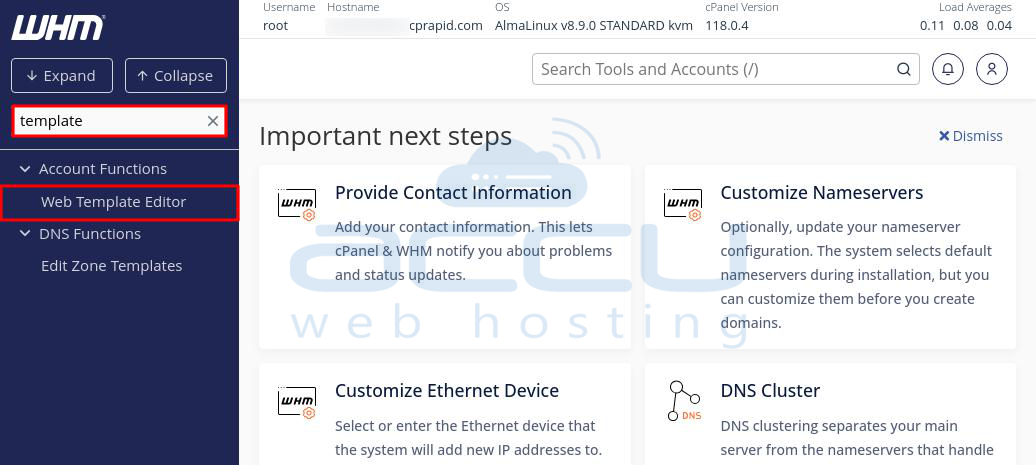
Step 2: Type "template" in the search box at the top left of the screen. Click on "Web Template Editor" when it appears.
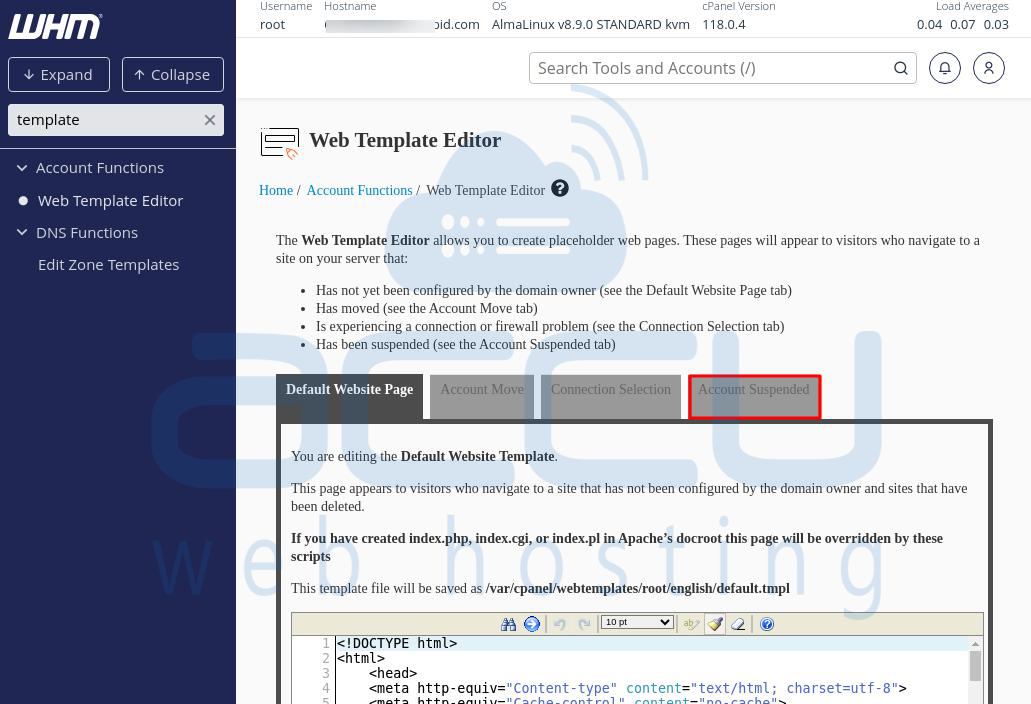
Step 3: Go to the "Account Suspended" tab on the Web Template Editor page.
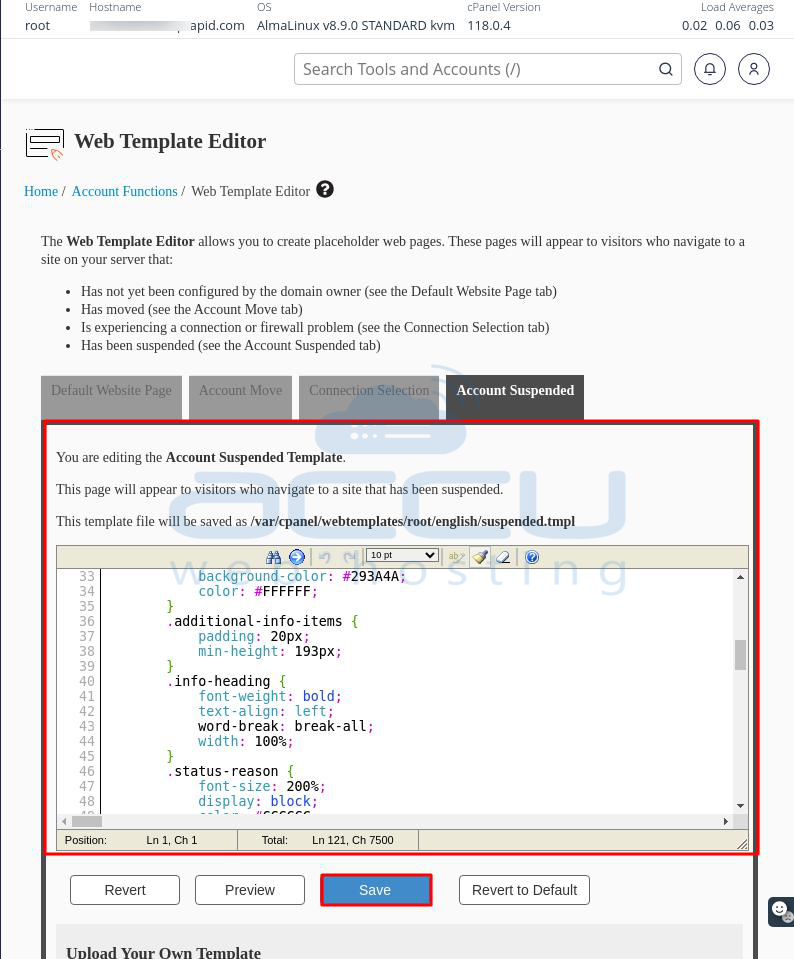
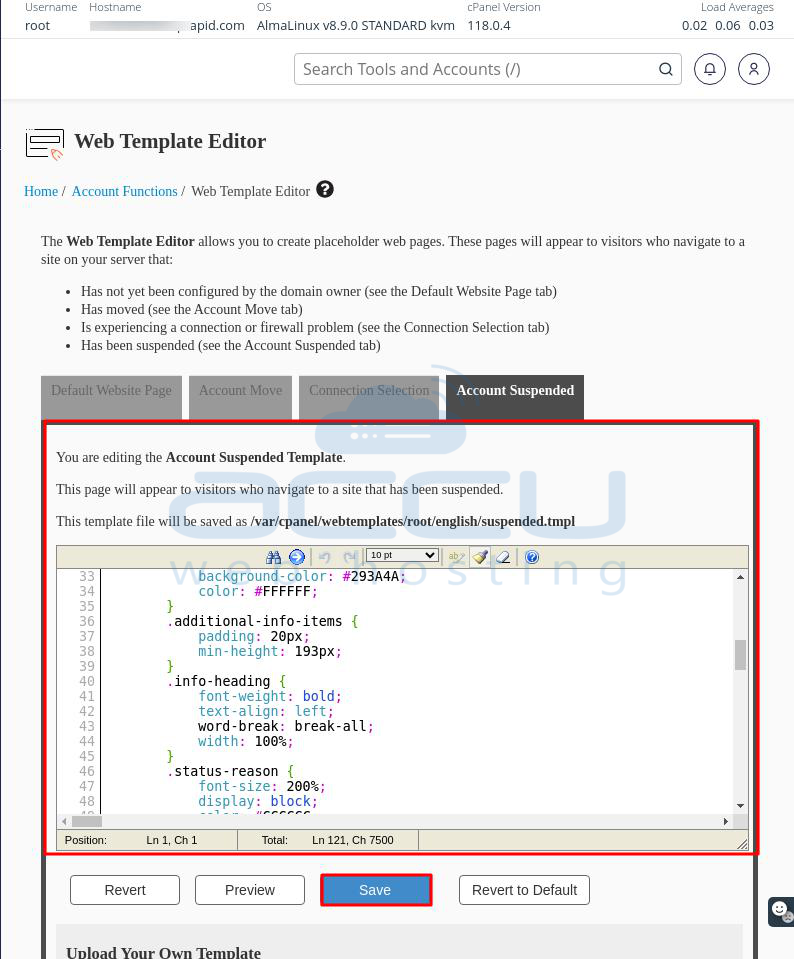
Step 4: Modify the HTML code directly on this tab. Click "Save" when you're finished.
Step 5: If you have your own custom suspended page, Click "Browse" to locate the file on your computer, then click "Upload Template" to use your custom page instead.
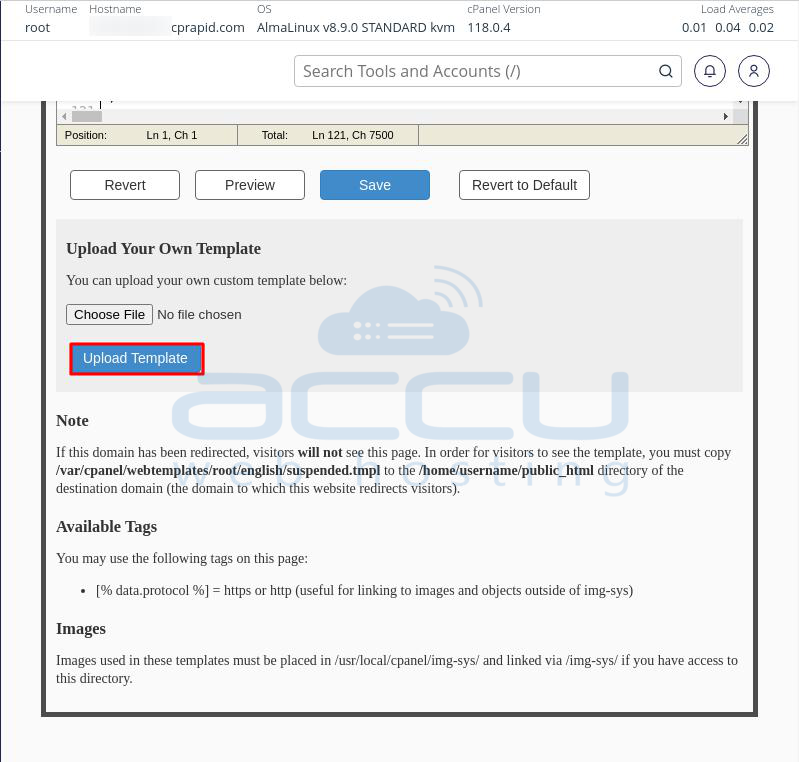
These steps will help you customize the page visitors see when they visit a suspended website on your server.
Conclusion:
In conclusion, suspending a reseller account from WHM involves logging into WHM, navigating to the reseller options, selecting the account to suspend, and then confirming the suspension. This process helps manage server resources and address billing issues efficiently.


