
In this article, we'll walk you through two effective methods to change the domain name in WordPress without losing your valuable data or compromising your website's functionality.
Method 1: Manual Update in the Database
Step 1. Backup your website: Before making any changes, it's crucial to create a backup of your WordPress website and database to avoid data loss.
How To Secure Complete Backup Of Your WordPress Website?
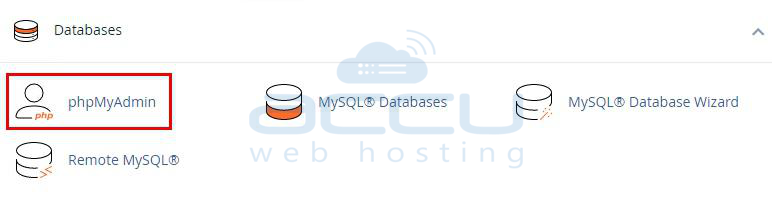
Step 2. Access your database: Log in to your hosting control panel and navigate to phpMyAdmin or any database management tool provided by your host.
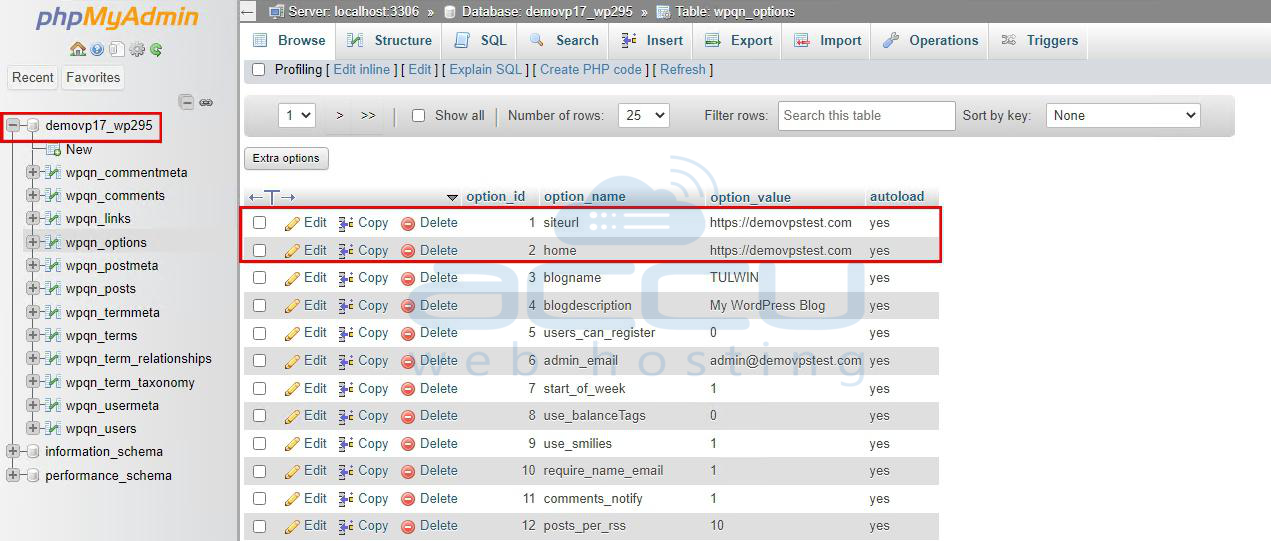
Step 3. Locate the WordPress database: Find the database associated with your WordPress installation in the left-hand column.
Step 4. Edit the "siteurl" and "home" options: Look for the "wp_options" table and click on it. Locate the rows with the "option_name" values of "siteurl" and "home" and click "Edit" for each.
Step 5. Update the domain name: In the "option_value" field, replace the old domain name with the new one. Make sure to include "http://" or "https://" at the beginning.
Step 6. Save changes: Click "Go" or "Save" to apply the changes.
Method 2: Manual Update via wp-config.php
Step 1. Backup your website: Just like in Method 1, create a backup of your WordPress files and database.
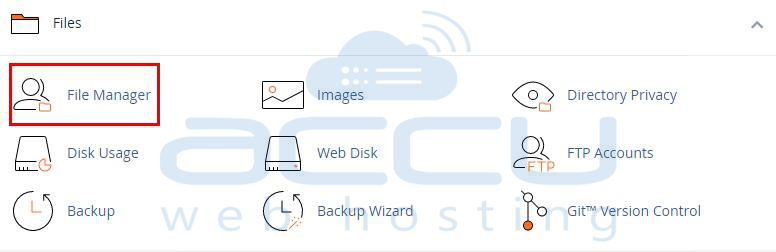
Step 2. Access your files: Use an FTP client or the file manager in your hosting control panel to access your website's files.
Step 3. Locate wp-config.php: In the root directory of your WordPress installation, find the wp-config.php file.
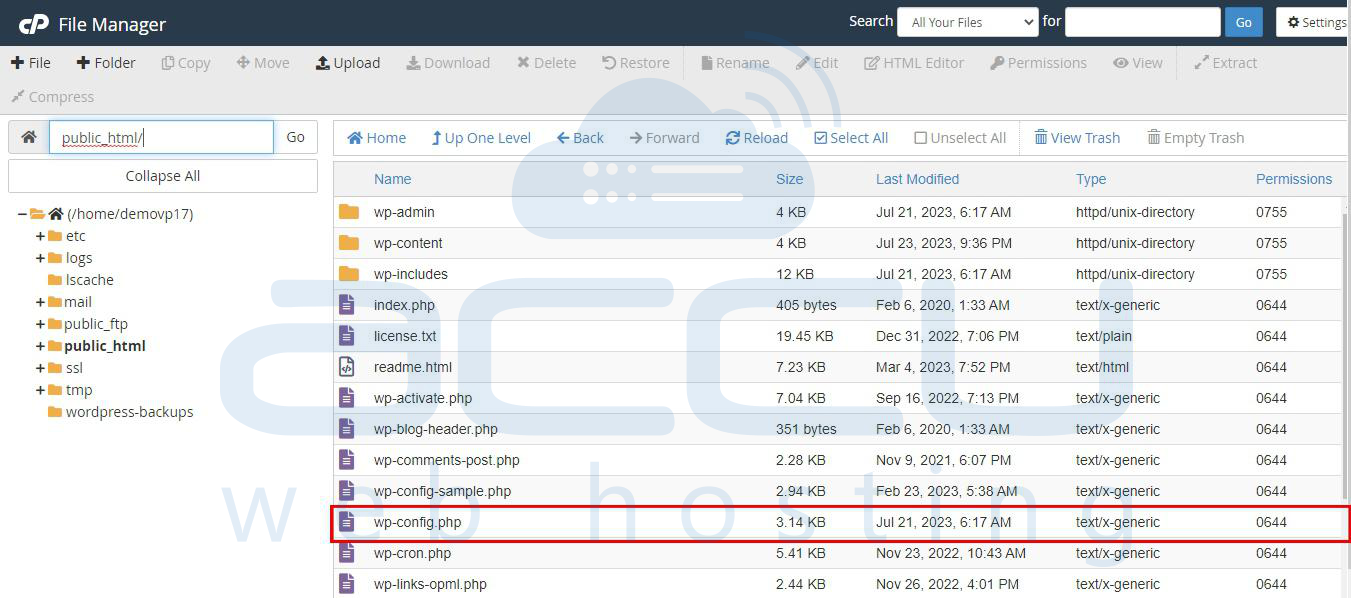
Step 4. Edit wp-config.php: Download a copy of wp-config.php as a backup, then open the original file in a text editor.
Step 5. Update the domain name: Look for the lines that define the "WP_HOME" and "WP_SITEURL" constants. Update the domain name to the new one, ensuring it includes "http://" or "https://".
define('WP_HOME','https://domain.com');
define('WP_SITEURL','https://domain.com');
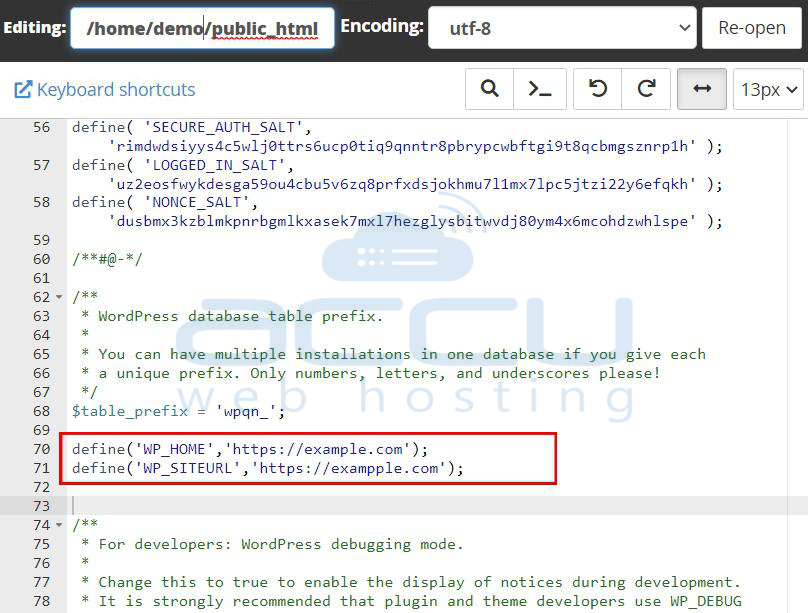
Step 6. Save changes: Save the the wp-config.php file to overwrite the existing one.
Conclusion:
Changing your WordPress domain name might seem complex, but with the right methods, it becomes an achievable task. Whether you opt for a manual database update, or edit the wp-config.php file, always back up your data before proceeding.
By following these three methods, you can confidently change your WordPress domain name. Additionally, if you are not comfortable performing these tasks yourself, consider seeking help from a professional or your hosting provider's support team.


