Following are the steps to change the IP Address of the domain in the Webmin control panel.
1. Log in to your Webmin Panel.
2. Click on Webmin Icon >> Networking >> Networking Configuration.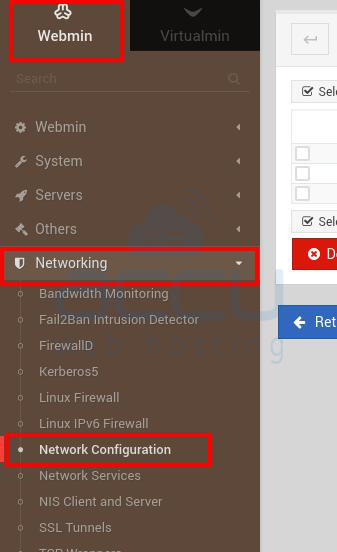
3. Select your IP Address at the Host Address.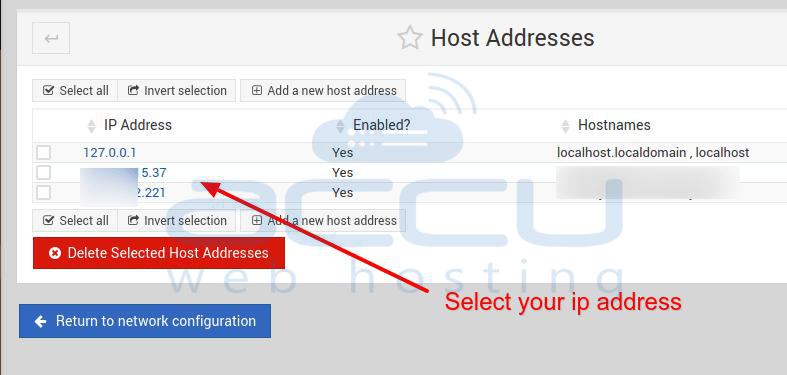
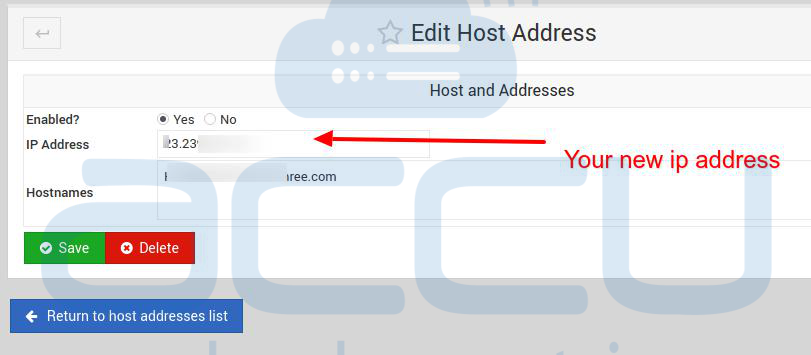
4. At Edit Host Address, change your IP Address by adding a new IP address, then click the Save Button.