
Have you ever wondered if you can find the actual location of the sender from the emails he sent? Or you are a security enthusiast who needs to keep track of IP addresses. Tracking email information is important to identify the original sender, check authenticity, and prevent phishing or spam attempts. However, Google Webmail (Gmail) does not directly display the sender’s IP address in a standard email view. You can find this information in the email headers. Users can look through these headers to trace an email's route and obtain valuable details about its source.
This guide will provide a step-by-step process for identifying email headers to extract sender IP addresses and using some online tools to gather detailed insights. Whether you are an IT professional or a security enthusiast, it will help you to track email IP addresses effectively.
Why Track an Email’s IP?
With the creation and growth of the online platform, email frauds, phishing websites, and other types of cyberattacks have become common. By tracking the IP address of the mail, you might know where such an email has originated so that you can check whether the sender is genuine or take necessary security actions. You must monitor an email’s IP to be aware of suspicious emails and protect your business from fraud. Overall, it is an essential skill for your web security.
Tracking emails can help you with the following:
- Determines Sender's Location: This determines the geographical origin of the email.
- Detects Phishing or Spam: Checks whether an email comes from a suspicious or unauthorized server.
- Increases Security: Helps track malicious activities or fraudulent attempts.
- Debugging email problems: Network administrators and IT experts use this to debug email-related issues.
- Tracing the origin of malicious emails in forensic investigation for cybercrime.
What are Email Headers?
Email headers provide information about a received email, such as the sender, recipient, email servers, and the path the email took to reach the destination. They help with authentication, tracing, and debugging.
Some of the key terms in an email header are:
|
Message id: |
It's a unique code that distinguishes that specific email from all other emails, |
|
Created at: |
This shows the date and time when the sender clicked send and the time after it was delivered. |
|
From: |
Presents the sender's email address. |
|
To: |
Presents the email address of the recipient. |
|
Subject: |
Subject line for the email. |
|
Date: |
Timestamp when the email was sent. |
|
Received: |
Displays the series of servers through which the email has traveled. |
|
Return-path: |
Specifies the return path in case of delivery failure. |
Step-by-Step Guide to Tracking the IP Address of an Email:
1. Open Gmail and Locate the Email
Log in to your Gmail account
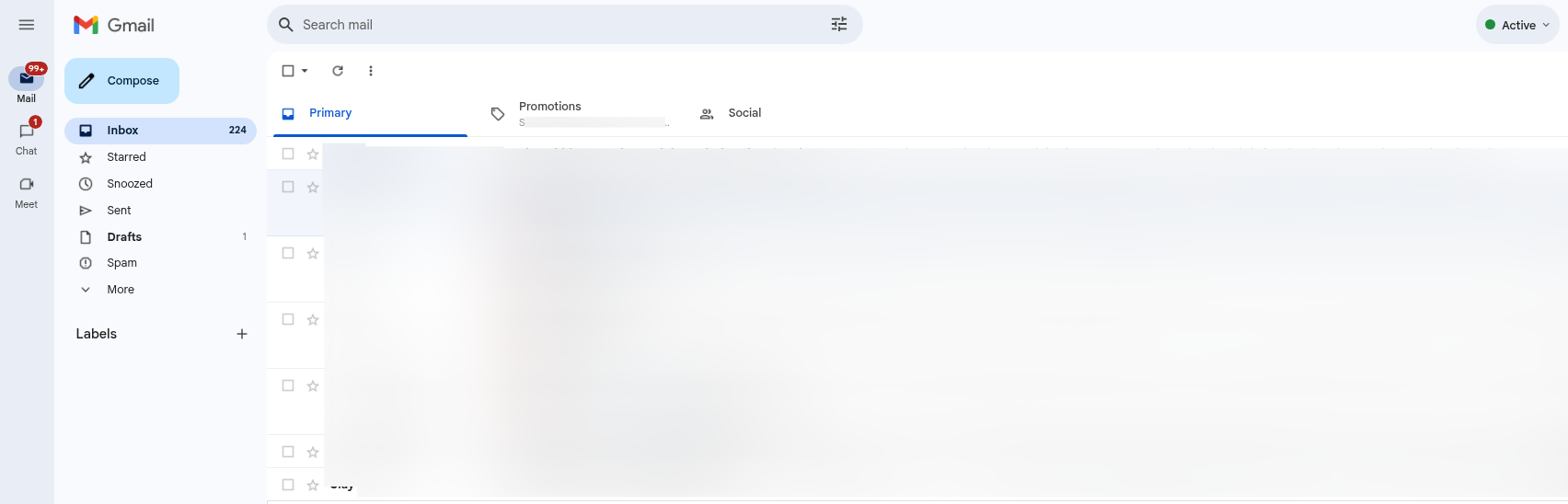
Navigate to the sender’s email whose IP address you want to track.
2. Access the Email Headers
To view the full email headers:
- Open the email.
- Click on the ellipsis menu (More options) in the top-right corner of the email.
- Select "Show original."
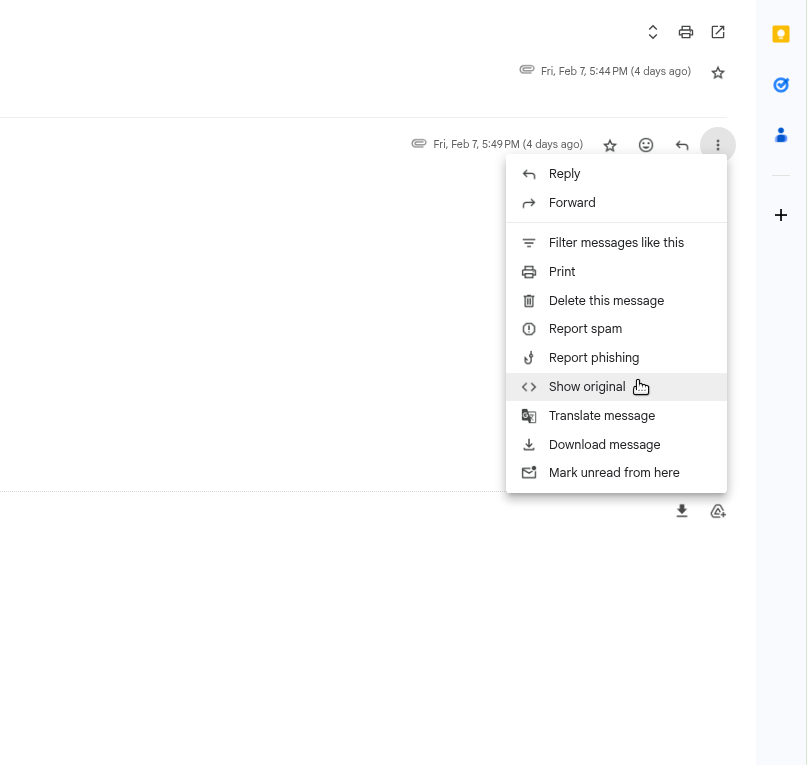
This will open a new page displaying the raw email headers and message details.
3. Identify the Received Headers
In the header section, look for lines that start with Received. These lines indicate the servers the email passed to before reaching your inbox. The originating IP address is typically found in the first Received line from the bottom.

Example of Received email header:
Received: from mail.example.com (198.168.1.1) by smtp.gmail.com
192.168.1.1 is the sender’s IP address.
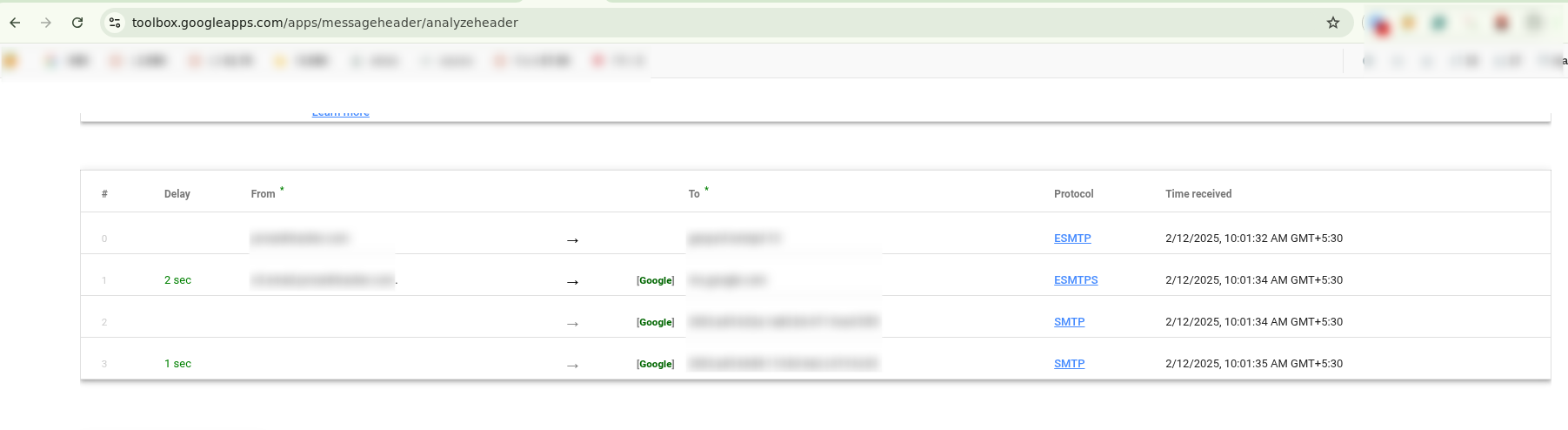
4. Use an Email Header Analyzer (Optional)
If the headers seem complex, you can use online tools like:
5. Look Up the IP Address
If you have the sender’s IP address, you can use tools like:
These tools will provide information about the IP's geographical location, ISP, and potential risks related to the address.
What are SPF, DKIM, and DMARC Protocols?
SPF, DKIM, and DMARC are email authentication protocols used to stop email spoofing and phishing attacks:
- SPF (Sender Policy Framework) checks that an email comes from an authorized or unauthorized source.
- DKIM (DomainKeys Identified Mail) provides a digital signature into emails to maintain their integrity and authenticity.
- DMARC (Domain-based Message Authentication, Reporting, and Conformance) uses SPF and DKIM to prevent the unauthorized use of a domain in email messages and reporting mechanisms.
Limitations and Security Considerations
Tracking an IP address can provide useful information, but it is essential to use it ethically.
- Gmail’s System: Gmail often hides the sender’s IP address for privacy reasons, especially for emails sent from Gmail to Gmail.
- Spoofed Headers: Spammers hide their actual IP address using the email headers since they can easily be spoofed.
- VPN and Proxies: Some senders utilize VPN or proxies to disguise their geographic region.
Additional Methods to Track Suspicious Emails
Reverse Email Lookup: Web utilities such as Spokeo or EmailSherlock may occasionally return information about the sender.
Verify DNS Records: Utilize WHOIS search programs to scan the domain records relative to the sender's email server.
Identifying the IP address of an email received by Gmail is helpful for security, verification, and investigation. To find the sender's IP address and related data, you must analyze email headers and use online tools to learn about email routing.
However, always be careful with privacy policies and technical limitations when tracing the email sender.


