
Cloudflare is a powerful platform that not only provides DNS management but also enhances website performance, security, and reliability. When managing DNS records in Cloudflare, you might notice gray clouds and orange clouds next to your DNS entries. These icons are not just cosmetic; they indicate how your traffic is routed and whether Cloudflare's features are active for that record.
What the Clouds Mean?
Orange Cloud – Traffic Through Cloudflare (Enabled)
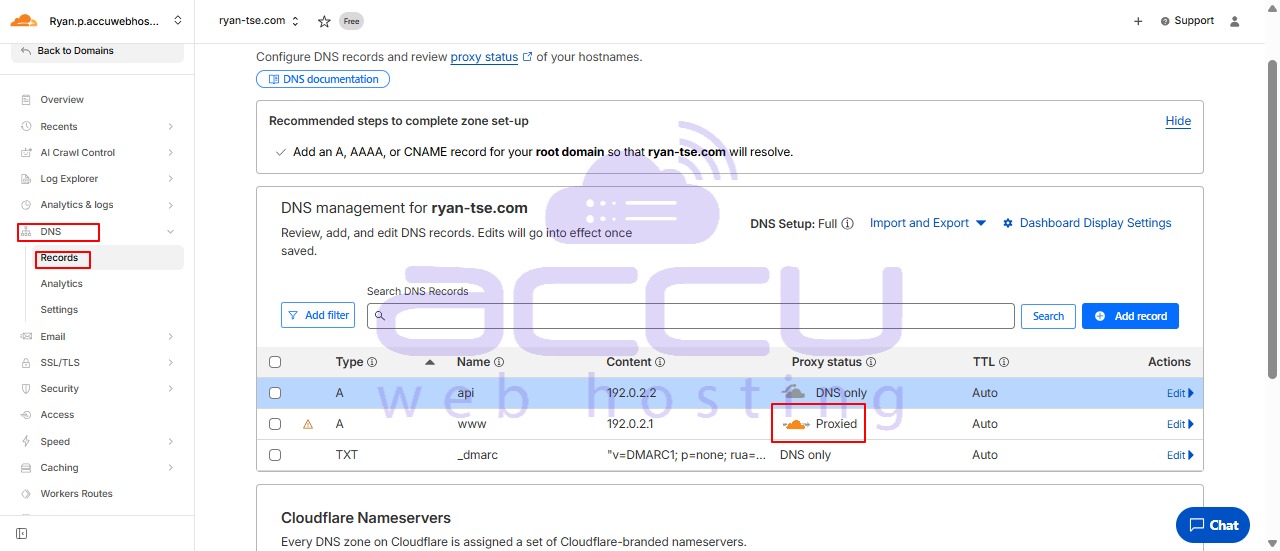
An orange cloud indicates that the DNS record is proxied through Cloudflare. When traffic passes through Cloudflare:
Security: Cloudflare acts as a protective layer, shielding your server from DDoS attacks, malicious traffic, and other online threats.
Performance: Cloudflare caches content and uses its global CDN to deliver content faster to your visitors.
Analytics: You gain access to Cloudflare’s analytics and monitoring for traffic patterns and security events.
Use the orange cloud for public-facing services like your main website, where you want the benefits of Cloudflare’s security and performance optimizations.
Gray Cloud – Traffic Bypasses Cloudflare (Disabled)
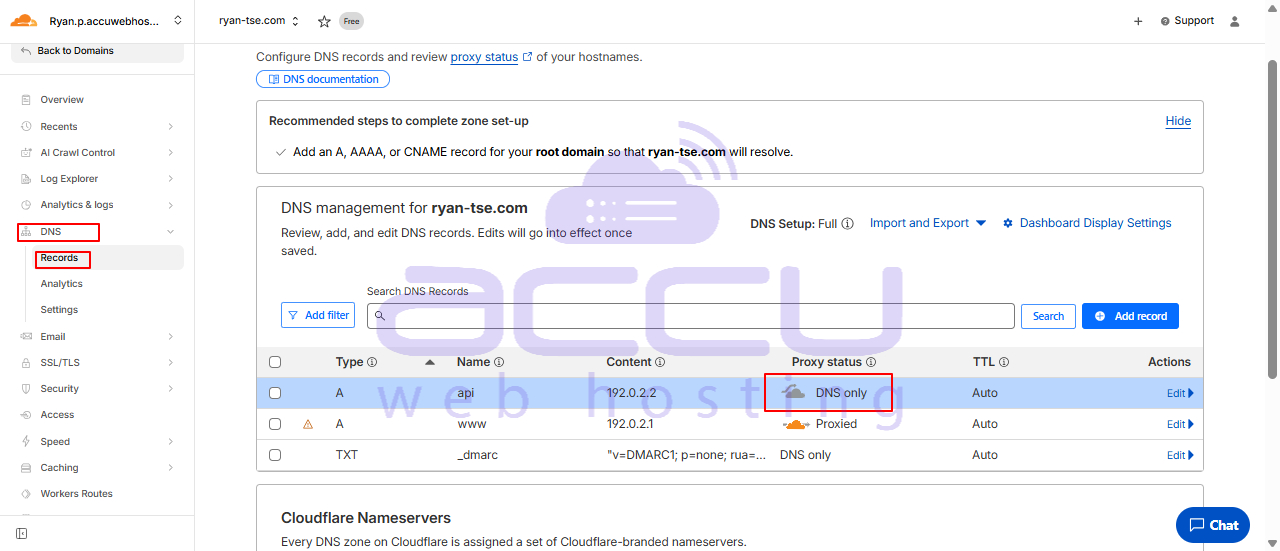
A gray cloud indicates that the DNS record is not proxied through Cloudflare. Traffic goes directly to your origin server without any intervention from Cloudflare.
Direct Connection: Requests reach your server directly, which may be necessary for certain services like mail servers, FTP, or API endpoints.
No Caching or Security: Cloudflare’s DDoS protection, caching, and SSL features are bypassed.
Use Cases: Ideal for internal services, testing environments, or services that don’t require Cloudflare’s optimizations.
When to Use Each
|
Cloud Type |
Use Case |
Benefits |
|
Orange Cloud |
Public websites, applications, and services needing protection and caching |
Enhanced security, global CDN, analytics, performance boost |
|
Gray Cloud |
Mail servers, APIs, FTP, or services requiring direct server access |
Direct traffic, no caching, Cloudflare bypassed |
Important: Misconfiguring these can disrupt services. For example, mail servers should always use gray clouds, as proxying them through Cloudflare can cause delivery issues.
Conclusion:
Understanding gray and orange clouds in Cloudflare DNS is essential for proper traffic routing and leveraging Cloudflare’s security and performance features effectively. Orange clouds enable Cloudflare’s full suite of protections and optimizations, while gray clouds allow traffic to bypass Cloudflare entirely, providing direct access to your server. Properly applying these settings ensures both security and functionality for your services.


